> ## Documentation Index
> Fetch the complete documentation index at: https://docs.abbyy.com/llms.txt
> Use this file to discover all available pages before exploring further.
# Improve a classifier
> Improve classifier accuracy in ABBYY FlexiCapture: adjust profiles and recall/precision, correct reference classes, and find similar pages in the batch.
## Tips for improving results
* Check whether the selected classification profile is appropriate.
* Adjust the recall/precision ratio.
* Check whether the reference classes are assigned correctly.
* Use more sample documents. Include as many document variants as possible: the larger and more varied the training batch, the more variants of each class the classifier detects.
## Document Definition confidence
Document Definition sections [mapped to document classes](/flexi-capture/classify-mapping-classes) are matched against their document sections with a degree of confidence. The names of low-confidence sections are marked in red.
If **Automatically confirm section type when matched** is enabled and the mapped section matches successfully, the section name is not highlighted. The class is then confirmed during Document Definition matching, even if it was initially determined with low confidence.
The **Automatically confirm section type when matched** option is on the **General** tab of the Document Definition section properties. It speeds up manual verification, but select it only for sections that match documents the Document Definition was created for, such as a fixed Document Definition for a fixed section with [identifiers](/flexi-capture/mrf-requirements/ap-mrf-identifier), or a FlexiLayout section with required elements. Do not select it for Document Definitions that can match any document.
When a Document Definition is matched to a page or document with low confidence, you can:
* Click **Confirm Document Definition** on the shortcut menu of the page or document.
* Modify the low-confidence page, for example by changing the section type or moving the page to another document.
* Change the Document Definition selected for the page or document.
After an operator corrects all errors so that no sections have unconfidently matched Document Definitions, the low-confidence error is removed automatically.
In the errors pane, an assembly error is reported for documents with low-confidence Document Definitions. Documents with other errors besides low confidence go to the assembly verification stage. Documents with no errors other than low-confidence classification go to the verification stage.
## Detect errors in the training batch
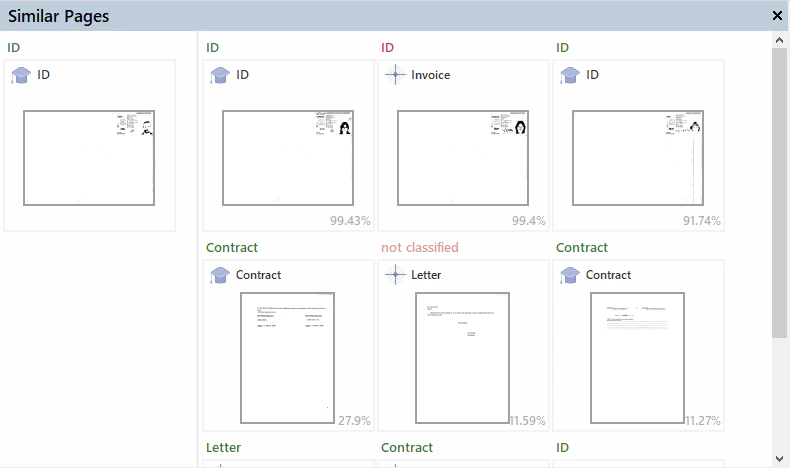
Classification errors usually come from incorrectly assigned reference classes or too few sample pages. To investigate a misclassified page, right-click it and use one of the **Show Similar Pages** commands, also available on the **Classification Training** menu.
| Command | What it finds |
| ------------------------------------------- | ----------------------------------------------------------------------------------------------------------------------------------------------------------------- |
| **Show Similar Pages** | Similar pages anywhere in the batch, regardless of class. Use it to find pages with a different reference class that resemble the selected page. |
| **Show Similar Pages from Reference Class** | Similar pages that share the selected page's reference class. Use it to check whether a page is unique: if none are found, add the page to the batch and retrain. |
| **Show Similar Pages from Result Class** | Similar pages whose reference class matches the selected page's result class. Use it to find the pages whose wrong reference class caused the misclassification. |
FlexiCapture searches all documents regardless of state (**For Training**, **For Testing**, or **Unused**) and lists similar pages from most to least similar.
 ### Example: correct a misclassified page
In the [confusion matrix](/flexi-capture/classify-fc-statistics#confusion-matrix), find a page whose reference class is **ID** but whose result class is **Invoice**.
### Example: correct a misclassified page
In the [confusion matrix](/flexi-capture/classify-fc-statistics#confusion-matrix), find a page whose reference class is **ID** but whose result class is **Invoice**.
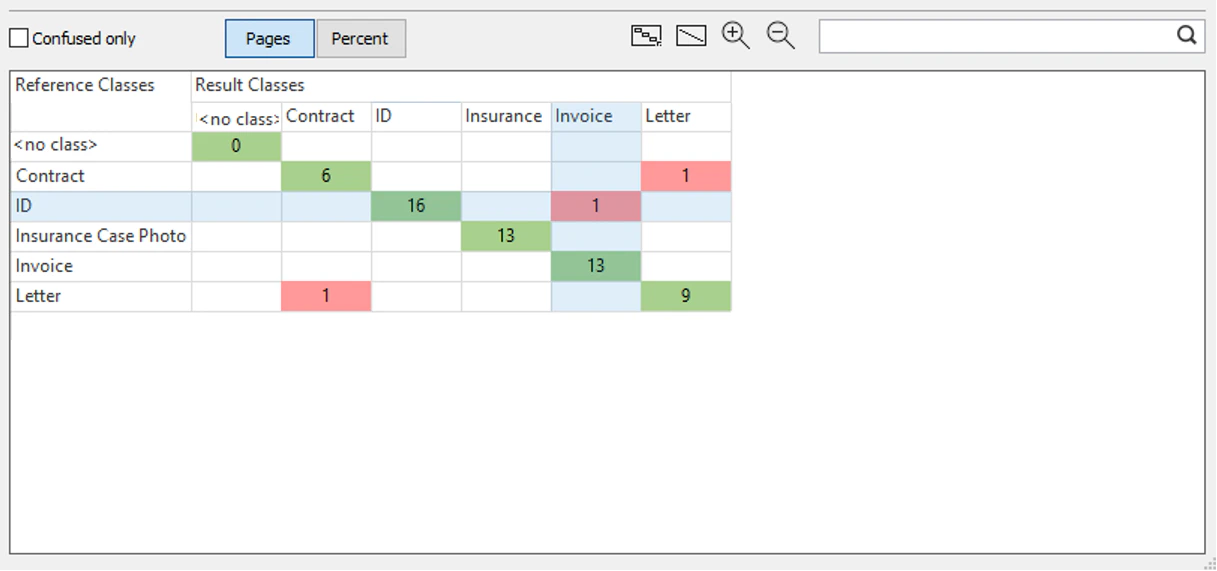 Click the page's cell in the confusion matrix.
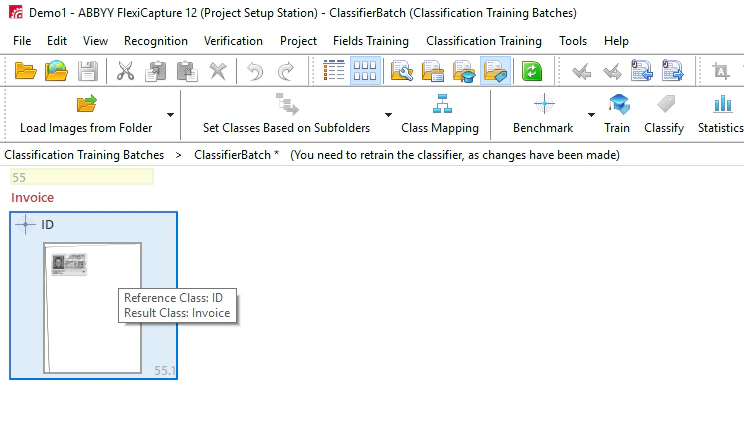 Right-click the page and click **Show Similar Pages from Result Class**. FlexiCapture lists the pages that resemble the ID page but have **Invoice** as their reference class, from most to least similar.
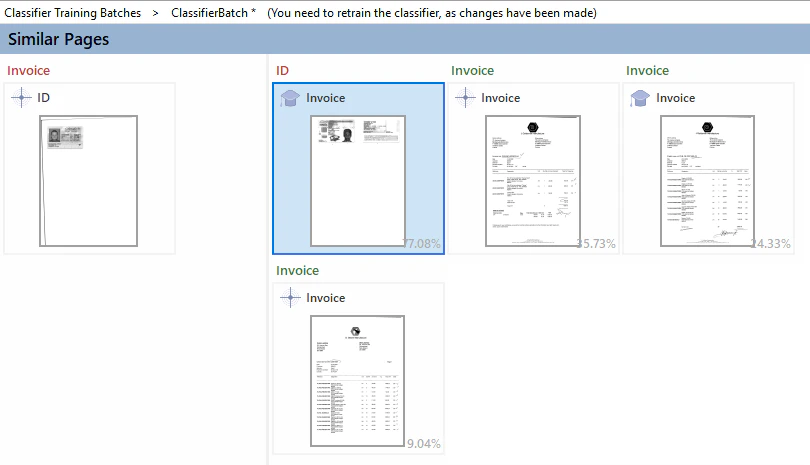 Identify the pages with incorrectly assigned reference classes that caused the ID page to be classified as an invoice. Change the reference class where appropriate, and then retrain the classifier.