> ## Documentation Index
> Fetch the complete documentation index at: https://docs.abbyy.com/llms.txt
> Use this file to discover all available pages before exploring further.
# Working with CaptureData.ums5 scenario file
> Configure and run the CaptureData.ums5 scenario in WinActor: set FlexiCapture connection settings, input image and output folder paths, and then run data capture.
To configure a scenario in WinActor:
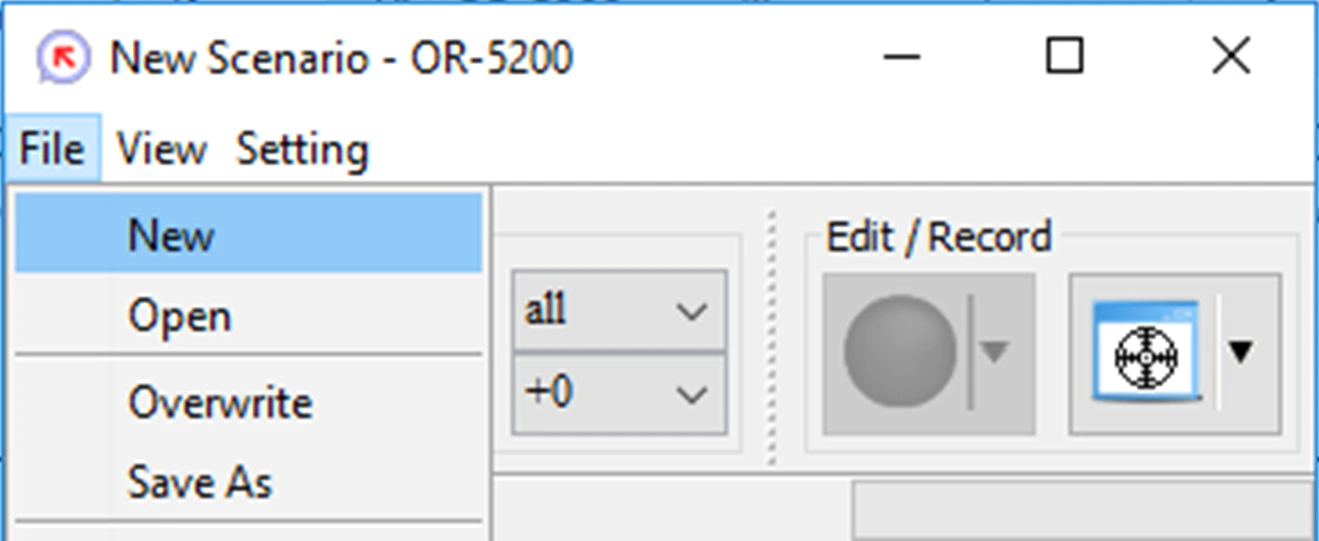
1. Click **File → New**.
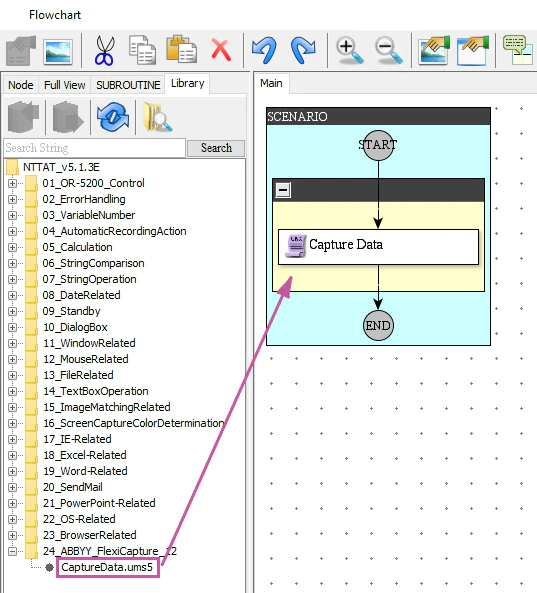
 2. In the **Flowchart** window, click the **Library** tab and and drag and drop the **CaptureData.ums5** scenario onto the workspace.
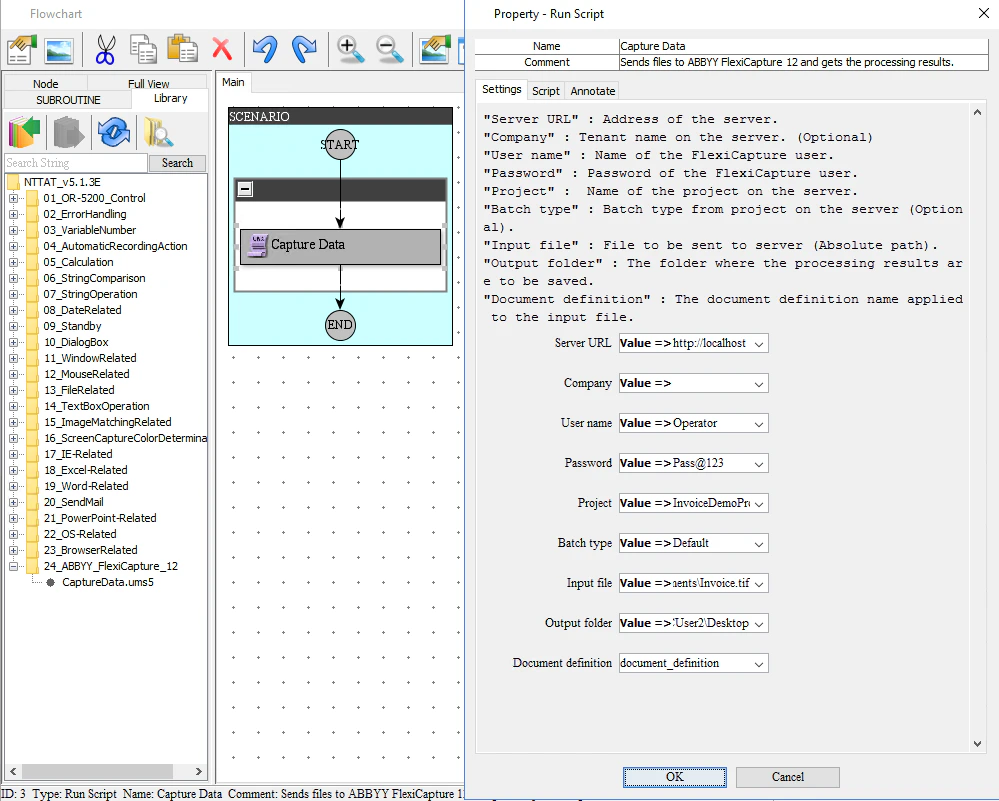
 3. Double-click **Capture Data** on the flowchart to open the **Property - Run Script** window. In the **Property - Run Script** window, click the **Settings** tab and specify the settings to be used to connect to the FC server, the path to an input document image, the path to an output folder where extracted data should be stored, and a variable that will store the name of the matching document definition.
There are two ways to specify the above parameters. You can either specify them directly, using the Value=>MyValue syntax, or you can create the necessary variables in the **Variable List** window and then specify their names in the **Property - Run Script** window.
3. Double-click **Capture Data** on the flowchart to open the **Property - Run Script** window. In the **Property - Run Script** window, click the **Settings** tab and specify the settings to be used to connect to the FC server, the path to an input document image, the path to an output folder where extracted data should be stored, and a variable that will store the name of the matching document definition.
There are two ways to specify the above parameters. You can either specify them directly, using the Value=>MyValue syntax, or you can create the necessary variables in the **Variable List** window and then specify their names in the **Property - Run Script** window.
 Before you can run this scenario, you must [upload a configured ABBYY FlexiCapture project on to the Application Server](/flexi-capture/connectors/win-actor-configuring-export-from-fc#upload-to-fc-application-server).
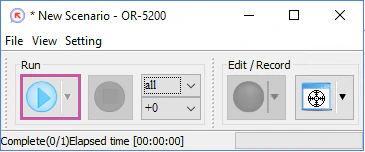
4. To run the configured scenario, click **Run**.
Before you can run this scenario, you must [upload a configured ABBYY FlexiCapture project on to the Application Server](/flexi-capture/connectors/win-actor-configuring-export-from-fc#upload-to-fc-application-server).
4. To run the configured scenario, click **Run**.