> ## Documentation Index
> Fetch the complete documentation index at: https://docs.abbyy.com/llms.txt
> Use this file to discover all available pages before exploring further.
# Sample 1. Step 13: Test the YOUR PLANET NAME field
> Verify the PlanetName element in Sample 1 by matching the FlexiLayout against each batch image and checking the YOUR PLANET NAME field is found.
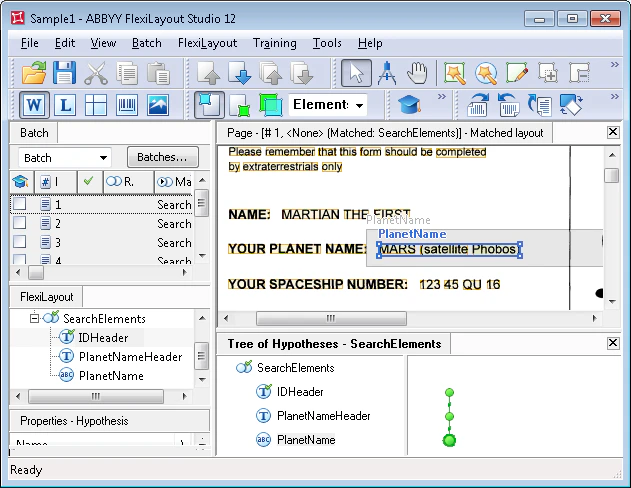
Check that FlexiLayout Studio correctly finds the field described by the **PlanetName** element.
Open the **Batch** tab in the FlexiLayout Studio main window, then match the FlexiLayout against the batch images in one of two ways:
* **Fast check** – Select all images in the batch, then run the **Match** command from the batch shortcut menu. View the results in the **Image** window in [Matched Layout](/flexi-capture/fls/settings/etalon) mode.
* **Thorough check** – Open each image and run the **Match** command from the **FlexiLayout** menu or the image's shortcut menu. This takes longer but lets you view the formulated hypotheses.
After matching, the **YOUR PLANET NAME** field described by the **PlanetName** element is found on every image.