> ## Documentation Index
> Fetch the complete documentation index at: https://docs.abbyy.com/llms.txt
> Use this file to discover all available pages before exploring further.

# ツールバー

> FlexiLayout Studio のツールバー（Standard、Extracted Objects、ブロック描画ツール、Layout、Image Tools）と、各ボタンの機能に関するリファレンス。

ABBYY FlexiLayout Studio には、プロジェクト、抽出オブジェクト、ブロック、レイアウト、画像を操作するためのツールバーが 5 つ用意されています。

<div id="standard-toolbar">
  ## 標準ツールバー
</div>

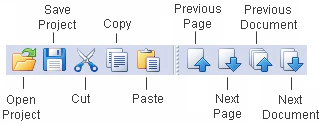
**Standard** ツールバーには、FlexiLayout の作成、オープン、保存などの標準コマンドに対応するボタンが配置されています。
<Frame>
  <img src="https://mintcdn.com/abbyy/r-nfa7jujx5b9gKX/images/flexi-capture/fls/standard_tools.gif?fit=max&auto=format&n=r-nfa7jujx5b9gKX&q=85&s=e839ff87a94abf04f95d9ec8e676e418" alt="ABBYY FlexiLayout Studio の Standard ツールバーのスクリーンショット。Open、Save、Cut、Copy、Paste、Previous Page、Next Page、Previous Document、Next Document の各ボタンが表示されています。" width="321" height="124" data-path="images/flexi-capture/fls/standard_tools.gif" />
</Frame>

| ボタン       | 説明                                                                                                                                                                                                                             |
| --------- | ------------------------------------------------------------------------------------------------------------------------------------------------------------------------------------------------------------------------------ |
| **開く**    | **Open Project** ダイアログを開き、開くプロジェクトファイルを選択します。                                                                                                                                                                                  |
| **保存**    | 現在のプロジェクトを保存します。                                                                                                                                                                                                               |
| **切り取り**  | 選択した内容を削除して、クリップボードに格納します。                                                                                                                                                                                                     |
| **コピー**   | 選択した内容 (**Properties** ウィンドウのテキスト、**Image** ウィンドウのブロック、**Batch** ウィンドウのページ、**FlexiLayout** ウィンドウの[ブロック](/ja/flexi-capture/fls/template/blocks-region)または[要素](/ja/flexi-capture/fls/template/elements-simple)) をクリップボードにコピーします。 |
| **貼り付け**  | クリップボードの内容を貼り付けます。                                                                                                                                                                                                             |
| **前のページ** | プロジェクト内の前のページを開きます。                                                                                                                                                                                                            |
| **次のページ** | プロジェクト内の次のページを開きます。                                                                                                                                                                                                            |
| **前の文書**  | プロジェクト内の前の文書を開きます。                                                                                                                                                                                                             |
| **次の文書**  | プロジェクト内の次の文書を開きます。                                                                                                                                                                                                             |

<div id="extracted-objects-toolbar">
  ## Extracted Objects ツールバー
</div>

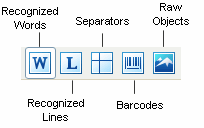
<a id="extractedobjects" />**Extracted Objects** ツールバーには、事前認識で検出されたオブジェクトの表示／非表示を切り替えるボタンがあります。

<Frame>
  <img src="https://mintcdn.com/abbyy/lqYknuOmCa79141v/images/flexi-capture/fls/extracted_tools.gif?s=1ba9fd82b664fbc32c6e9dd9ece98d51" alt="ABBYY FlexiLayout Studio の Extracted Objects ツールバーのスクリーンショット。Recognized Words、Recognized Lines、Separators、Barcodes、Raw Objects の各ボタンが表示されています。" width="204" height="128" data-path="images/flexi-capture/fls/extracted_tools.gif" />
</Frame>

| ボタン                  | 説明                                             |
| -------------------- | ---------------------------------------------- |
| **Recognized Words** | 事前認識で Text として分類されたオブジェクトのみを表示します。             |
| **Recognized Lines** | 事前認識で Recognized Lines として分類されたオブジェクトのみを表示します。 |
| **Separators**       | 事前認識で Separators として分類されたオブジェクトのみを表示します。       |
| **Barcodes**         | 事前認識で Barcodes として分類されたオブジェクトのみを表示します。         |
| **Raw Objects**      | 事前認識でプログラムが分類できたオブジェクトのみを表示します。                |

<div id="block-drawing-tools-toolbar">
  ## ブロック描画ツール ツールバー
</div>

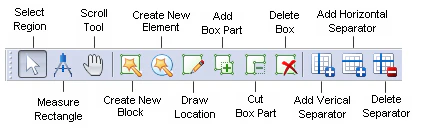
<a id="blockdrawingtools" />**ブロック描画ツール** ツールバーには、Reference layout を編集するためのボタンが含まれています。
<Frame>
  <img src="https://mintcdn.com/abbyy/lqYknuOmCa79141v/images/flexi-capture/fls/image_tools.png?fit=max&auto=format&n=lqYknuOmCa79141v&q=85&s=a3139004b0fae96ede1536eac8c45fa0" alt="ABBYY FlexiLayout Studio のブロック描画ツール ツールバーのスクリーンショット。Select Region、Measure Rectangle、Scroll Tool、Create New Block、Create New Element、Draw Location、Add Box Part、Cut Box Part、Delete Box、Add Vertical and Horizontal Separator、Delete Separator などの各ボタンにラベルが付いています。" width="424" height="136" data-path="images/flexi-capture/fls/image_tools.png" />
</Frame>

| ボタン                          | 説明                                                                                                                                                                                                                                                                                                                                                                                                                                                                                                                               |
| ---------------------------- | -------------------------------------------------------------------------------------------------------------------------------------------------------------------------------------------------------------------------------------------------------------------------------------------------------------------------------------------------------------------------------------------------------------------------------------------------------------------------------------------------------------------------------- |
| **Select Region**            | 画像上の領域を選択し、選択したブロックを移動します。<br />ブロックが小さすぎるために移動できないことがあります。これは、境界線同士の間隔が非常に狭く、いずれかの境界線をポイントすると「サイズ変更」モードになってしまうためです。このようなブロックを移動するには、**Ctrl** キーを押したままにします。                                                                                                                                                                                                                                                                                                                                                                      |
| **Measure Rectangle**        | 画像上のオブジェクトの座標とサイズを検出し、クリップボードにコピーします。<br />現在の画像上のオブジェクトを測定するには、**Measure Tool** を有効にして、測定する矩形領域を選択します。領域の一方の角を右クリックし、マウスを対角線方向に反対側の角までドラッグして、マウス ボタンを放します。**Measure Tool** ダイアログには、測定したオブジェクトの座標と Width および Height が、ユーザー定義の[単位](/ja/flexi-capture/fls/template/units)で表示されます。<br />**Measure Tool** ダイアログで **Automatically copy results to Clipboard** を選択すると、矩形の座標がクリップボードにコピーされるため、たとえば任意の要素の **Properties** ダイアログにある **Search Constraints** タブに簡単に貼り付けて、その[検索領域](/ja/flexi-capture/fls/template/search-constraints)を定義できます。 |
| **Scroll Tool**              | **Image** ウィンドウ内の画像をスクロールします。                                                                                                                                                                                                                                                                                                                                                                                                                                                                                                    |
| **Create Element**           | 新しいブロックまたは要素を作成し、事前認識済みの画像に基づいてそのプロパティを指定できます。                                                                                                                                                                                                                                                                                                                                                                                                                                                                                   |
| **Draw Location**            | 選択したブロックまたは要素に対応する領域を画像上に描画します。                                                                                                                                                                                                                                                                                                                                                                                                                                                                                                  |
| **Add Block Part**           | 選択した領域に矩形領域を追加します。                                                                                                                                                                                                                                                                                                                                                                                                                                                                                                               |
| **Cut Block Part**           | 選択した領域から矩形領域を切り取ります。                                                                                                                                                                                                                                                                                                                                                                                                                                                                                                             |
| **Delete Box**               | 画像からブロックまたは要素を削除します。                                                                                                                                                                                                                                                                                                                                                                                                                                                                                                             |
| **Add Vertical Separator**   | 選択した **Table** ブロックに縦の区切り線を追加します。                                                                                                                                                                                                                                                                                                                                                                                                                                                                                                |
| **Add Horizontal Separator** | 選択した **Table** ブロックに横の区切り線を追加します。                                                                                                                                                                                                                                                                                                                                                                                                                                                                                                |
| **Delete Separator**         | 選択した **Table** ブロックから区切り線を削除します。                                                                                                                                                                                                                                                                                                                                                                                                                                                                                                 |

**Draw Location**、**Add Block Part**、**Cut Block Part**、**Delete Box**、**Add Vertical Separator**、**Add Horizontal Separator**、**Delete Separator** の各ボタンは、Reference layout モードおよび Training Mode でのみ使用できます。

<div id="layout-toolbar">
  ## Layout ツールバー
</div>

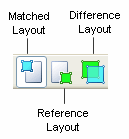
<a id="layout" />**Layout** ツールバーには、テスト画像をさまざまなモードで表示するためのボタンがあります。
<Frame>
  <img src="https://mintcdn.com/abbyy/r-nfa7jujx5b9gKX/images/flexi-capture/fls/layout_panel.gif?s=6bcbba7915f4b64e6d14d02fde3fe75e" alt="ABBYY FlexiLayout Studio の Layout ツールバーのスクリーンショット。Matched layout、Reference layout、Difference layout の各ボタンが表示されています。" width="129" height="139" data-path="images/flexi-capture/fls/layout_panel.gif" />
</Frame>

| ボタン                   | 説明                                                                           |
| --------------------- | ---------------------------------------------------------------------------- |
| **Matched layout**    | 画像を Matched layout モードで表示します。右側の矢印を使って、表示するオブジェクト (ブロック、要素、またはその両方) を選択できます。 |
| **Reference layout**  | 画像を Reference layout モードで表示します。                                              |
| **Difference layout** | 画像を Difference layout モードで表示します。                                             |

<div id="image-tools-toolbar">
  ## Image Tools ツールバー
</div>

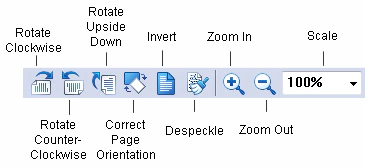
**Image Tools** ツールバーには、選択した画像の回転や拡大縮小などの標準コマンドに対応するボタンがあります。
<Frame>
  <img src="https://mintcdn.com/abbyy/lqYknuOmCa79141v/images/flexi-capture/fls/Rotate_tools.gif?fit=max&auto=format&n=lqYknuOmCa79141v&q=85&s=7a4fecee9b23029eb1602863eec88461" alt="ABBYY FlexiLayout Studio の Image Tools ツールバーのスクリーンショット。Rotate Clockwise、Rotate Counter-Clockwise、Rotate Upside Down、Correct Page Orientation、Invert、Despeckle、Zoom In、Zoom Out、Scale の各ボタンを示しています。" width="365" height="167" data-path="images/flexi-capture/fls/Rotate_tools.gif" />
</Frame>

| Button                       | 説明                                                                                                                                                                                   |
| ---------------------------- | ------------------------------------------------------------------------------------------------------------------------------------------------------------------------------------ |
| **Rotate Clockwise**         | 画像を時計回りに 90° 回転します。                                                                                                                                                                  |
| **Rotate Counter-Clockwise** | 画像を反時計回りに 90° 回転します。                                                                                                                                                                 |
| **Rotate Upside Down**       | 画像を 180° 回転します。                                                                                                                                                                      |
| **Correct Page Orientation** | ページの向きを自動補正します。正しい向きは、選択した[事前認識言語](/ja/flexi-capture/fls/batch/prerecognition-param)と、[Options ダイアログ](/ja/flexi-capture/fls/batch/options) (**Tools → Options**) の設定に基づいて自動的に選択されます。 |
| **Invert**                   | 画像を反転します (黒を白に、白を黒にします) 。                                                                                                                                                            |
| **Despeckle**                | 画像から余分なドットを除去します。                                                                                                                                                                    |
| **Zoom In**                  | 画像を 2 倍に拡大します。                                                                                                                                                                       |
| **Zoom Out**                 | 画像を 2 分の 1 に縮小します。                                                                                                                                                                   |
| **Scale**                    | 画像を拡大縮小します。                                                                                                                                                                          |

<Warning>
  画像操作を実行すると、事前認識と FlexiLayout マッチングの結果はすべて削除されます。画像を回転または反転すると、Reference Layout も削除されます。
</Warning>