> ## Documentation Index
> Fetch the complete documentation index at: https://docs.abbyy.com/llms.txt
> Use this file to discover all available pages before exploring further.
# サンプル 1. Step 2: バッチへの画像の追加
> FlexiLayout Studio のサンプル 1 でテスト画像をバッチに追加し、リファレンスアセンブリ用に **One document per file** を設定して、**Batch** ウィンドウでページを表示します。
バッチは、FlexiLayout のデバッグに使用するテスト画像 (ページ) のセットです。
新しいプロジェクトを作成したら、テスト画像をバッチに追加します。これらの画像は FlexiLayout のデバッグに使用されます。
バッチにテスト画像を追加するには、次の手順に従います。
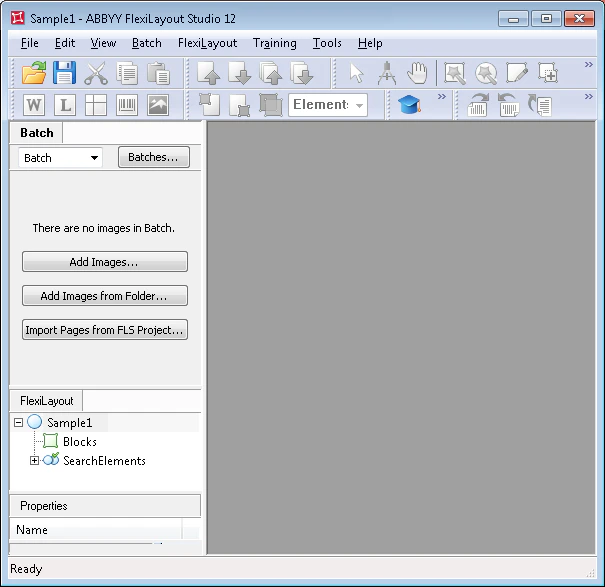
メインプログラムウィンドウで **Batch** タブをクリックします。
**File** メニューまたはショートカットメニューで **Open & Add Images...** コマンドを選択します。
 **Open Images** ダイアログで **Image Preprocessing Settings...** をクリックし、表示されたダイアログで **One document per file** オプションを選択します。
Sample 1 の画像は `%public%\ABBYY\FlexiCapture\12.0\Samples\FLS\English\Halloween Form\Halloween FormBatch\Halloween FormBatch\\Image\bwPage.frdat` にあります。
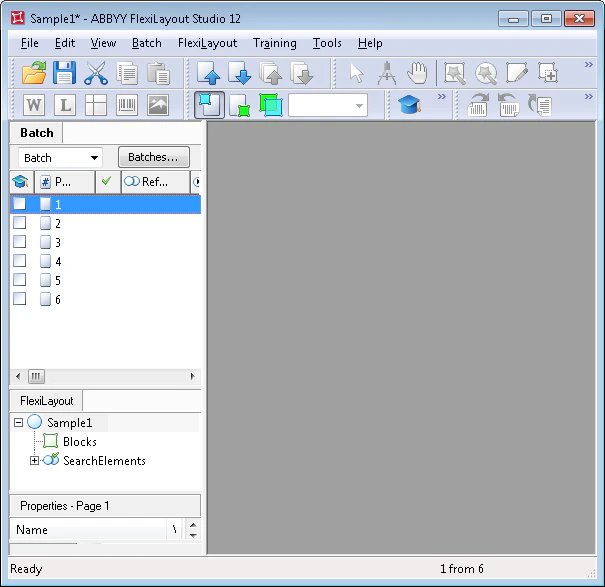
バッチに追加したテスト画像は **Batch** ウィンドウに表示されます。
**Open Images** ダイアログで **Image Preprocessing Settings...** をクリックし、表示されたダイアログで **One document per file** オプションを選択します。
Sample 1 の画像は `%public%\ABBYY\FlexiCapture\12.0\Samples\FLS\English\Halloween Form\Halloween FormBatch\Halloween FormBatch\\Image\bwPage.frdat` にあります。
バッチに追加したテスト画像は **Batch** ウィンドウに表示されます。
 画像の追加時には、リファレンスアセンブリの実行方法を指定できます。**One document per file** を選択すると、それぞれの画像が別個のドキュメントとして扱われます。
詳細については、[参照ドキュメントアセンブリ](/ja/flexi-capture/fls/settings/etalon-assembling) を参照してください。
画像の追加時には、リファレンスアセンブリの実行方法を指定できます。**One document per file** を選択すると、それぞれの画像が別個のドキュメントとして扱われます。
詳細については、[参照ドキュメントアセンブリ](/ja/flexi-capture/fls/settings/etalon-assembling) を参照してください。