> ## Documentation Index
> Fetch the complete documentation index at: https://docs.abbyy.com/llms.txt
> Use this file to discover all available pages before exploring further.
# サンプル 2. ステップ 19: InvertedHeader 要素の作成
> FlexiLayout Studio サンプル 2 のステップ 19: 反転テキスト(暗い背景に明るい文字)を検出するための InvertedHeader Object Collection 要素を作成します。
Cooking という文字は反転テキストです (つまり、暗い背景に明るい文字が表示されています) 。
InvertedHeader 要素を作成するには:
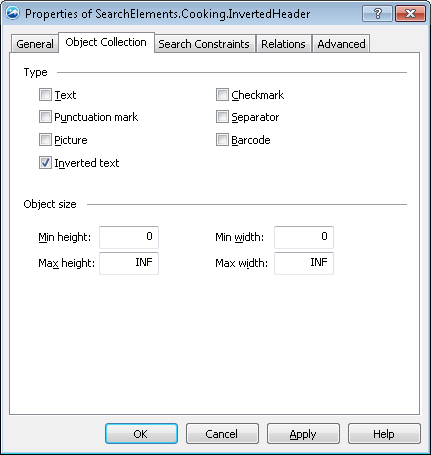
1. 型 [Object Collection](/ja/flexi-capture/fls/template/object-collection)の要素を作成し、**InvertedHeader** という名前を付けます。
2. Object Collection タブをクリックします。
3. **型** グループで **反転テキスト** オプションを選択します。
 FlexiLayout のマッチングをテスト画像に対して実行し、プログラムがすべての画像で反転テキストを正しく検出できることを確認します。