> ## Documentation Index
> Fetch the complete documentation index at: https://docs.abbyy.com/llms.txt
> Use this file to discover all available pages before exploring further.
# 請求書
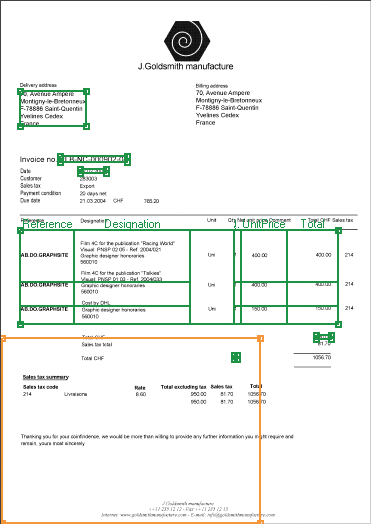
> FlexiLayout Studio のサンプル 3 を使って、テーブルを含むシンプルな請求書用の FlexiLayout を作成し、請求書番号や Total Amount などの field を抽出する方法を説明します。
わかりやすくするため、このサンプルでは 1 ページの文書を使って、シンプルな請求書用 FlexiLayout の作成方法を説明します。前のサンプルと比べると、このサンプルにはテーブルが含まれています。
このサンプルでは、FlexiLayout 作成の一連の手順をひととおり説明するとともに、オブジェクトの位置を記述する際に使えるいくつかのコツも紹介します。特に重要なのは、**Table** 要素に対応する画像オブジェクトの検出方法を学べることです。
このサンプルは、ブロックとさまざまな型の要素 (テーブルを除く) を使った FlexiLayout の作成方法を説明するサンプル 1 とサンプル 2 を参照しています。基本的な操作の一部については、そちらでより詳しく説明されています。
テスト画像と完成済みの FlexiLayout を含む FlexiLayout Studio プロジェクトは、`%public%\ABBYY\FlexiCapture\12.0\Samples\FLS\English\Invoice One-Page` にあります。
サンプル文書は、シンプルながら典型的な請求書です。前の例との違いは、テーブル field があることと、一部の field が存在しない場合があることです。
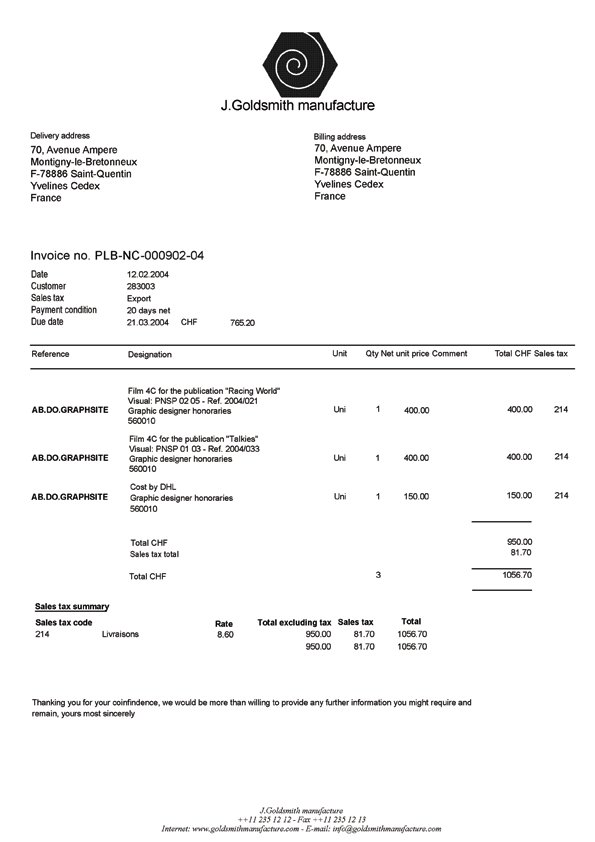 以下のセクションでは、FlexiLayout の作成手順を順を追って説明します。
この文書用 FlexiLayout の目的は、すべてのテスト画像で次の field を確実に検出できるようにすることです (文書上に存在する場合) 。
* **請求書番号**
* **請求日**
* **配送先住所**
* **Total Quantity**
* **Total Amount**
* **国**
* **Invoice Table** (次の列のみ: **Reference**、**品名**、**数量**、**単価**、**合計金額**)
以下のセクションでは、FlexiLayout の作成手順を順を追って説明します。
この文書用 FlexiLayout の目的は、すべてのテスト画像で次の field を確実に検出できるようにすることです (文書上に存在する場合) 。
* **請求書番号**
* **請求日**
* **配送先住所**
* **Total Quantity**
* **Total Amount**
* **国**
* **Invoice Table** (次の列のみ: **Reference**、**品名**、**数量**、**単価**、**合計金額**)