> ## Documentation Index
> Fetch the complete documentation index at: https://docs.abbyy.com/llms.txt
> Use this file to discover all available pages before exploring further.
# ABBYY FlexiCapture 12 Reporting service の動作
> ABBYY FlexiCapture 12 Reporting Service が、Writing service と Reading service を通じて処理イベントを収集し、統計を算出する仕組みを理解します。
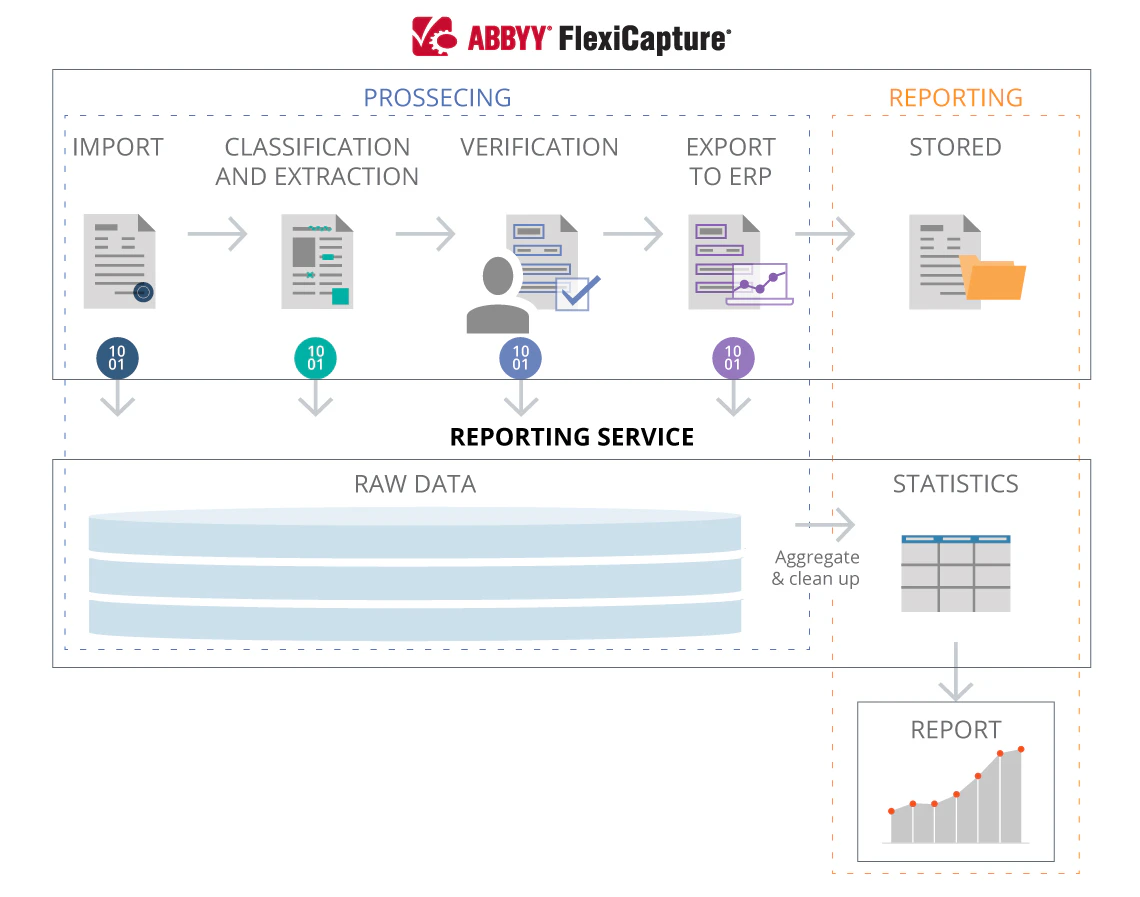
ABBYY FlexiCapture 12 に接続すると、Reporting service は文書処理イベントに関する情報の収集を開始し、その情報が統計の算出に使用されます。
1. 文書の処理中、ABBYY FlexiCapture は処理ログと編集イベントをこのサービスに送信します。Writing service は、これらのデータを Reporting Database の dbo.Eventlog テーブルおよび dbo.DocumentEditingStatistic テーブルに保存します。
2\. 文書の処理が完了すると (文書の状態が「処理完了」に変わると) 、サービスは収集した情報に基づいて処理統計を算出します。これは Reading service によって行われます。したがって、このサービスをオンライン監視ツールとして使用できるのは、Writing service と Reading service の両方がインストールされている場合に限られます。
3\. 統計が算出され、適切なデータベースに保存されると、処理ログと編集イベントは Reporting Database から削除されます。これも Reading service によって行われます。
Reporting service で収集されたデータを取得するには、[reporting database](/ja/flexi-capture/reporting-db-model) に対して SQL クエリを直接実行するか、テナントごとに分かれた [exported CSV tables](/ja/flexi-capture/reporting-service/reporting-data-access) をダウンロードします。取得したデータを、システムのパフォーマンス監視に使用しているビジネス分析ツールやカスタムソリューションに取り込みます。