> ## Documentation Index
> Fetch the complete documentation index at: https://docs.abbyy.com/llms.txt
> Use this file to discover all available pages before exploring further.
# ページのプロパティ ダイアログ
> ページのプロパティ ダイアログで、バッチ、ページ番号、ソース、ピクセルサイズ、解像度、カラーモード、スキャン品質に関する警告などのページ詳細を確認できます。
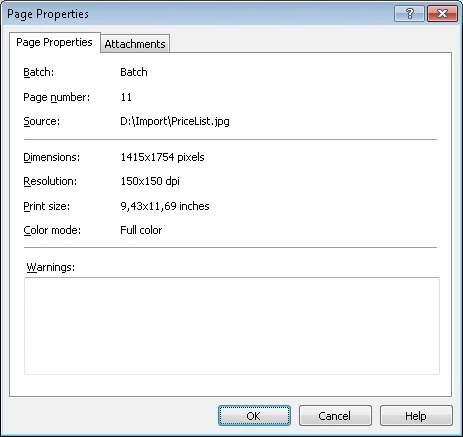
**ページのプロパティ** ダイアログには、選択したページのプロパティが表示されます。
## 選択したページのプロパティ
* バッチ
* バッチ内のページ番号
* ソース
* ピクセル単位のサイズ
* 解像度
* インチ単位の印刷サイズ
* カラーモード
* スキャン品質の警告
## ページのプロパティ ダイアログを開く
**ページのプロパティ** ダイアログを開くには、[Batches ウィンドウ](/ja/flexi-capture/scanning-station/shared/interface/navigator-win) または [Image ウィンドウ](/ja/flexi-capture/scanning-station/shared/interface/image-win) で画像を選択してから、次のいずれかの操作を行います。
* **ページ → プロパティ...** を選択します。
* 画像を右クリックし、ショートカット メニューから **プロパティ...** を選択します。
* **Alt+Enter** キーを押します。