> ## Documentation Index
> Fetch the complete documentation index at: https://docs.abbyy.com/llms.txt
> Use this file to discover all available pages before exploring further.
# カスタムのシングルサインオン認証を実装
> 標準ではない ID プロバイダーを使用して ABBYY FlexiCapture 向けにカスタム シングルサインオンを構築し、SAML または JWT トークンを Application Server チケットと交換します。
ABBYY FlexiCapture では、独自のカスタム シングルサインオン認証 (SSO) を実装できます。これは、標準ではない[ID プロバイダー](/ja/flexi-capture/appendix/glossary-main-body#idp)や標準的でない業務プロセスを使用している場合に必要になることがあります。
[SAML 2.0](/ja/flexi-capture/saml-authentication) と [JSON Web Tokens (JWT) ](/ja/flexi-capture/jwt-authentication) の両方の標準規格がサポートされています。
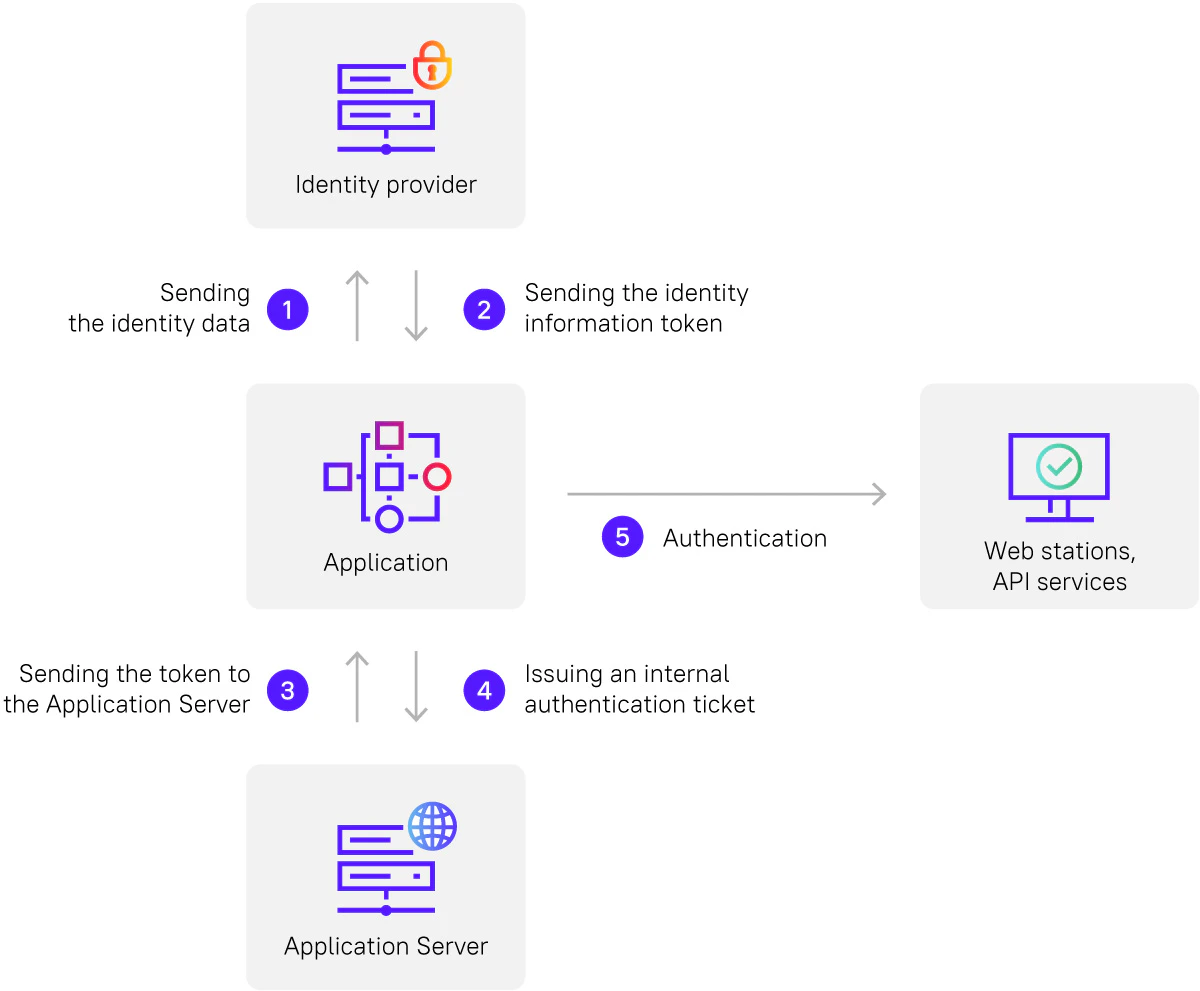
認証プロセスは次のように進行します。
* カスタム アプリケーションが ID データを ID プロバイダーに送信します。
* ID プロバイダーは、ID 情報を含むトークンを返します。
* アプリケーションはそのトークンを Application Server に渡します。
* Application Server は内部[認証チケット](/ja/flexi-capture/saml-authentication#use-the-authenticated-fc-12-ticket)を発行します。
* その後、この内部認証チケットを使用して、Web ステーションおよび API サービスでユーザーを認証します。