
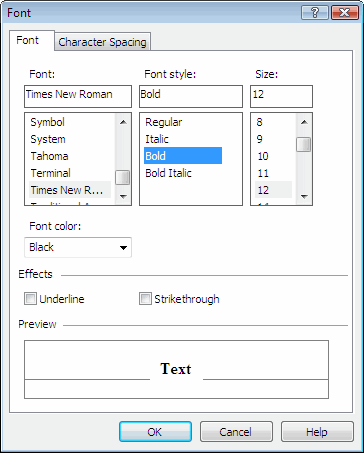
You can edit the text of some elements of the form using the Font dialog box (for this, select Font from element shortcut menu). You can specify font settings for the following elements: Checkmark Field, Group Field and Text.

Font tab

Font — Selects a font for the selected text fragment. Font style — Selects a font style for the selected text fragment:
  • Regular
  • Italic
  • Bold
  • Bold Italic
Size — Selects a font size for the selected text fragment. Color — Selects a color for the selected text fragment.
The list of colors depends on the form type (black-and-white or color background).
Effects — Selects text effects - underline or strike through.

Character spacing tab

Spacing — Changes the spacing in the selected text fragment. By — Increases or decreases intervals between characters in the selected text fragment (i.e. stretches or compresses the text). Position — Sets the position of the selected text fragment: normal, above, or below the rest of the text.
Additional fonts for various languages can be purchased at www.paratype.com.