
When you create an element and set up its properties in the Properties pane, the program will automatically generate code for these properties. This section will help you understand the auto-generated code, so that you can modify it if needed.

Search element structure
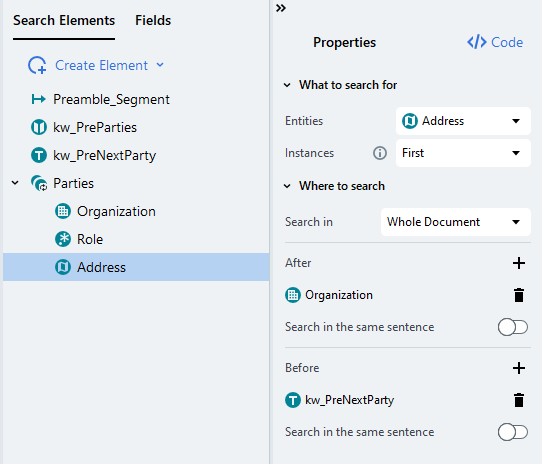
Search element structure example with Parties group containing Organization and Address children
The automatically generated code for the Parties.Address search element will look like this:

Auto-generated rule

As you can see, the auto-generated code always refers to each search element using the full path to make sure there is no name conflict. In this case, we can trim down the element names, removing Root from each.

Rule with shorter element names

We can now break down the meaning of each statement:

Rule explained