
 in the FlexiLayout tree.
Object Collection elements are usually used to look for objects that cannot be found using other elements. For example, you can use an Object Collection element to look for punctuation marks that stand apart and are not marked as text objects. You can also use this element to look for non-text objects, such as pictures and checkmarks.
in the FlexiLayout tree.
Object Collection elements are usually used to look for objects that cannot be found using other elements. For example, you can use an Object Collection element to look for punctuation marks that stand apart and are not marked as text objects. You can also use this element to look for non-text objects, such as pictures and checkmarks.
Object Collection element properties
Click the Object Collection tab in the Properties dialog box to describe the corresponding object. To open the Properties dialog box, right-click the element in the FlexiLayout tree and select Properties… on the shortcut menu.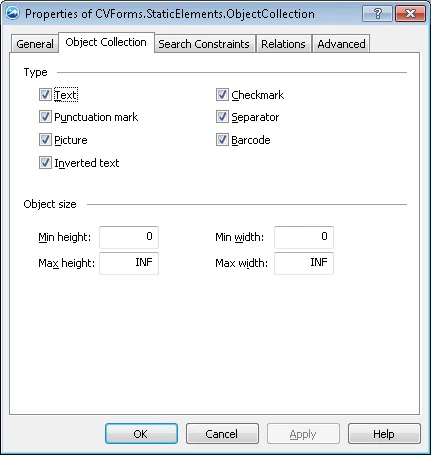
- Type – Specifies the type of objects to search for: Text, Punctuation mark, Picture, Inverted text, Checkmark, Separator, and Barcode. When you match the FlexiLayout against the images, the program detects only objects of the specified types and ignores all others.
- Object size – Sets the minimum and maximum widths and lengths of the objects in the user-defined units of measurement. To select values for these properties, first look at the sizes of the objects in the Properties window.