
Availability of this feature depends on your role. For more information, see Role-based access control.
Create a skill from the Skill Catalog
1
Click Create on the toolbar
On the Skill Catalog toolbar, click Create.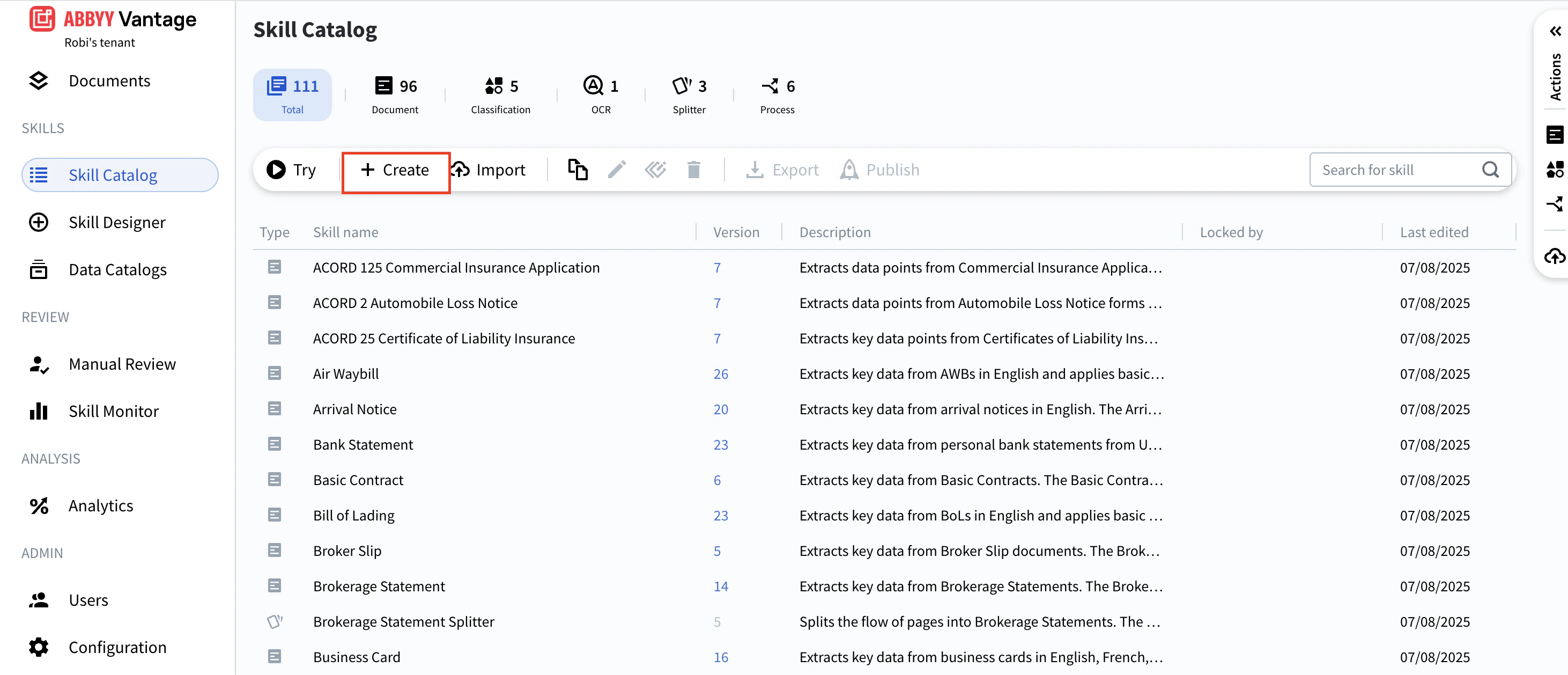
2
Select a skill type
Choose the skill type from the menu that appears.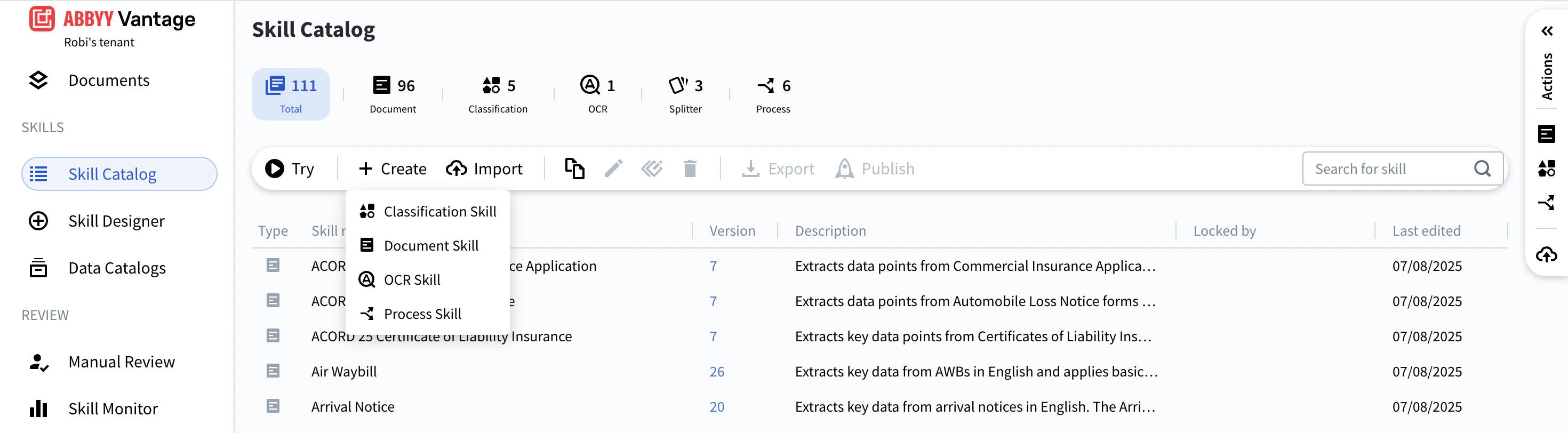
3
Enter a name and description
In the dialog box, enter a Name and Description for the skill.
4
Configure the fixed-form option (Document skills only)
If the skill will process structured documents, enable the Fixed-form documents toggle. See Set up a Document skill for details.
5
Select a Technology Core Version
Select a Technology Core Version.
6
Click Create
Click Create. The Skill Designer opens and the skill is ready to configure.
Verify the skill was created
The new skill appears in the Skill Catalog and is visible to all users. Until it is published, it has no version number.Alternative ways to create a skill
You can also create a skill using any of the following methods:- Click Skill Designer and select a skill type.
- In the Actions pane, click one of these shortcuts:
- Extract Data from Documents — creates a Document skill
- Classify Documents — creates a Classification skill
- Process — creates a Process skill