
Availability of this feature depends on your role. For more information, see Role-based access control.
- Select the skill from the list (click anywhere except the skill name), and then click Try Skill in the toolbar or Actions pane.
- Open the skill’s preview window by clicking the icon in the Type column to the left of the skill name, and then click Try Skill at the bottom of the window.
Try a Document skill
When you try a Document skill, processing results for the demo document are displayed automatically. To test with your own files, click Upload Documents in the Actions pane.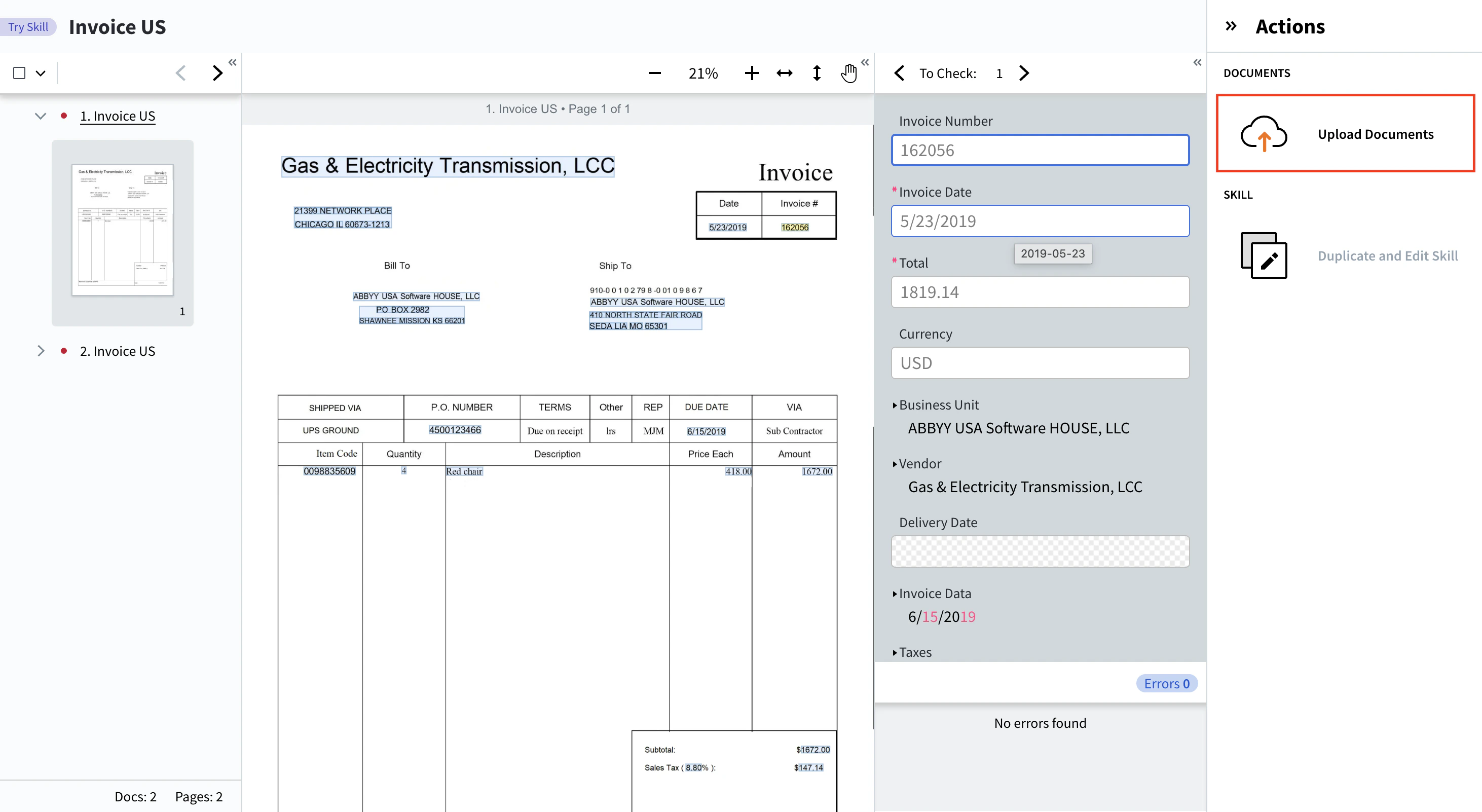
Try an OCR skill
Upload documents in any language listed in the Actions pane. After processing, the Actions pane shows recognition statistics, including the total word count and the number of uncertain words. You can also download recognition results for all uploaded documents in any of the skill’s enabled formats. The document image highlights recognized and uncertain words. Below the image, per-document statistics and a list of detected languages are shown.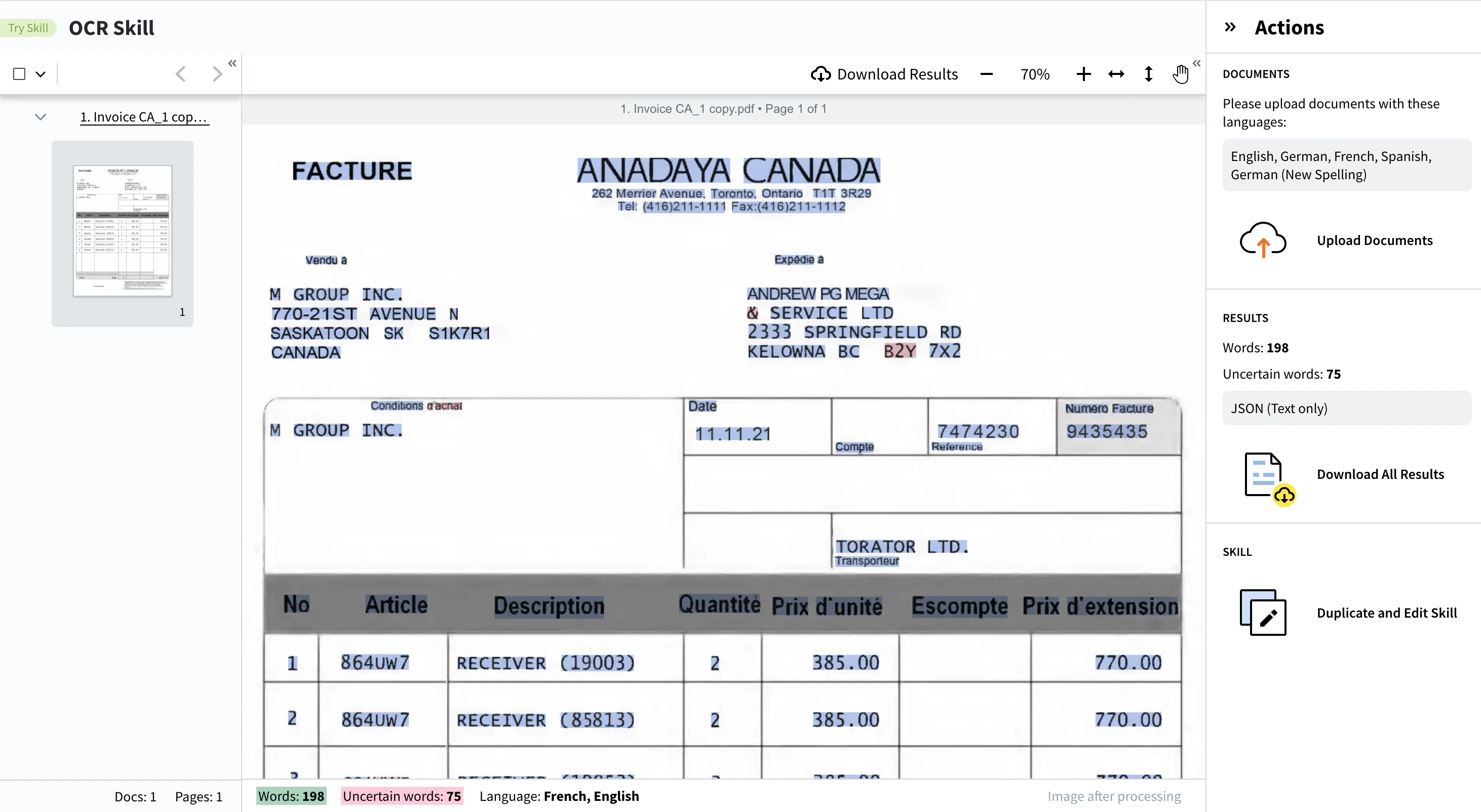
Use the Try Any Skill portal
Try Any Skill is a standalone web application for uploading documents and running any skill outside of the Skill Designer. It’s useful for quick demos, for testing skills against ad-hoc documents, and for sharing with users who don’t work in Skill Designer directly. Access the portal athttps://vantage-<region>.abbyy.com/try-any-skill/. For example:
The Try Any Skill portal calls the Vantage API, so you can test any skill type from there — not only Document and OCR skills.