
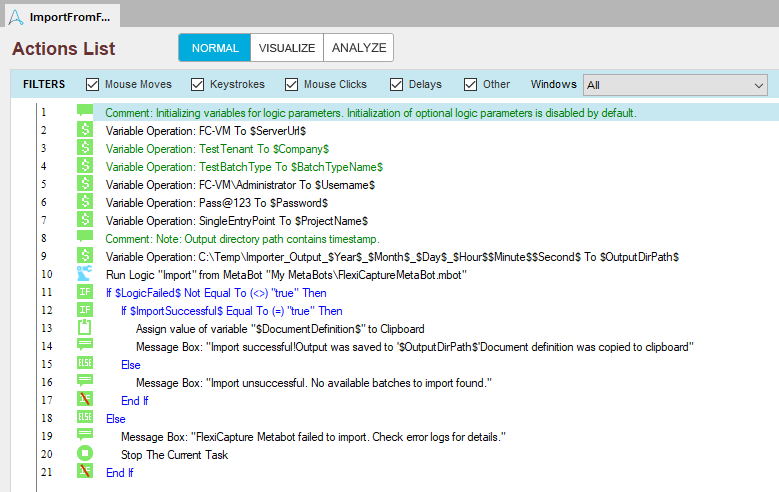
The ImportFromFlexiCaptureExample sample task includes the following actions.

What the task does

The actions at the start of the task set the values of the variables. The Import logic then runs, and the variables pass in its input parameters.

Variables the task sets

The task checks the LogicFailed output parameter to handle errors from the Import logic.

What the task reports

If the import succeeds, a message reports that the processing results were saved successfully, and the task copies the name of the matching Document Definition to the Clipboard. Otherwise, the task displays a failure message.