
Import the connector to the server
1
Open the Import wizard
Open Dev Studio and click Configure → Application → Distribution → Import.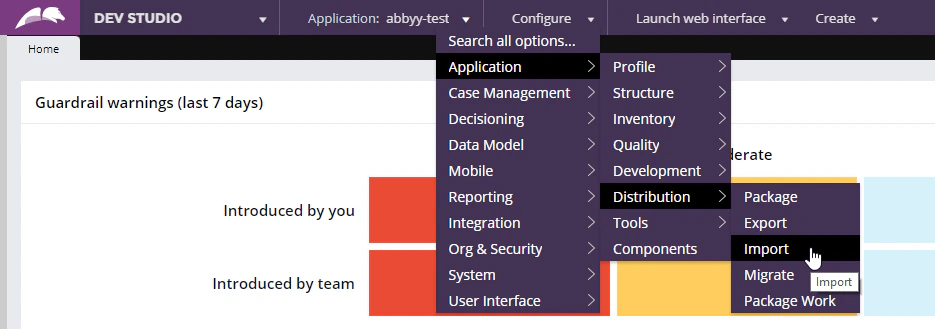
2
Load the connector
Load the
FlexiCaptureConnector.jar file on to the server.3
Restart the server
Open the Pega Self-Service Portal and click Restart Server.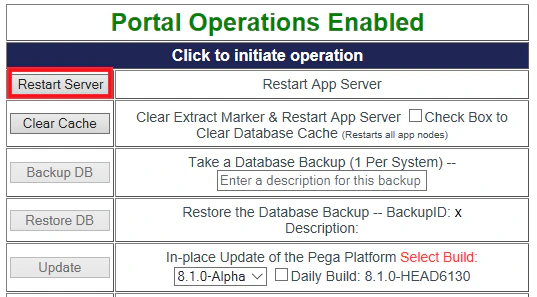
Create a Java function in Pega
The function calls methods from the connector classes.1
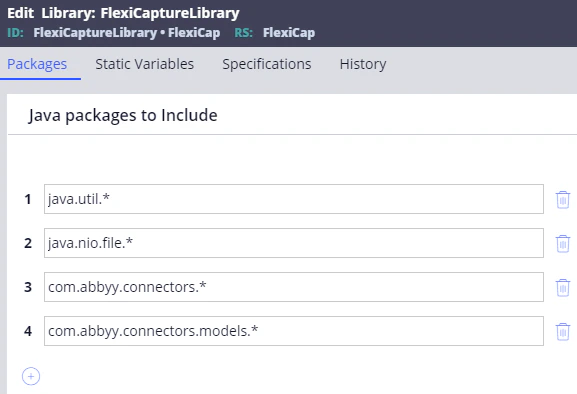
Create a library
- Click Records → Technical → Library → Create.
- Name the library, for example
FlexiCaptureLibrary. - Include the
java.util.*,java.nio.file.*,com.abbyy.connectors.*, andcom.abbyy.connectors.models.*packages.
2
Generate the library
Click Save, and then click Generate Library.
3
Create the function
- Click Records → Technical → Function → Create.
- In the Label field, provide a name for the new function, for example
CaptureData.
4
Specify the input parameters
In the Parameters section, specify the following two input parameters:
5
Select the library
In the Library field, enter the name of the library you created, and then click Create and open.
6
Set the output data type
In the window that opens, on the Parameters tab, specify 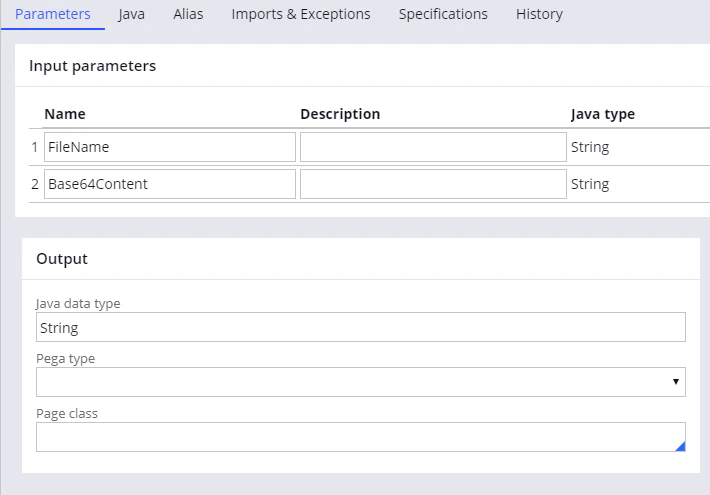
String as the data type in the Java data type field.7
Add the function code
Copy the code from the The sample code is reproduced in Sample function code.
CodeExample.java file and paste it on the Java tab of the same window.The file is in this folder:8
Declare the thrown exception
Click the Imports & Exceptions tab and type
Exception in the Exceptions thrown section.9
Generate the function
Go back to the Java tab, select the Function ready to be compiled? option, save your changes, and then click Generate function.A successful generation shows an acknowledgement with a 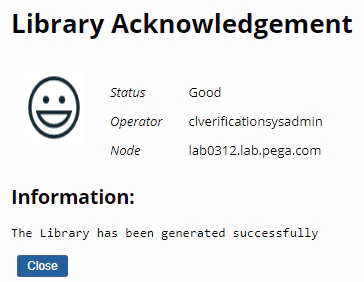
Good status.