A multi-document processing case needs one data transform for each Document Definition. The FetchingCapturedData activity applies the transform that matches the template name of the processed document. For the general procedure, see Create a set of data transforms in Pega.

jsonToInvoice
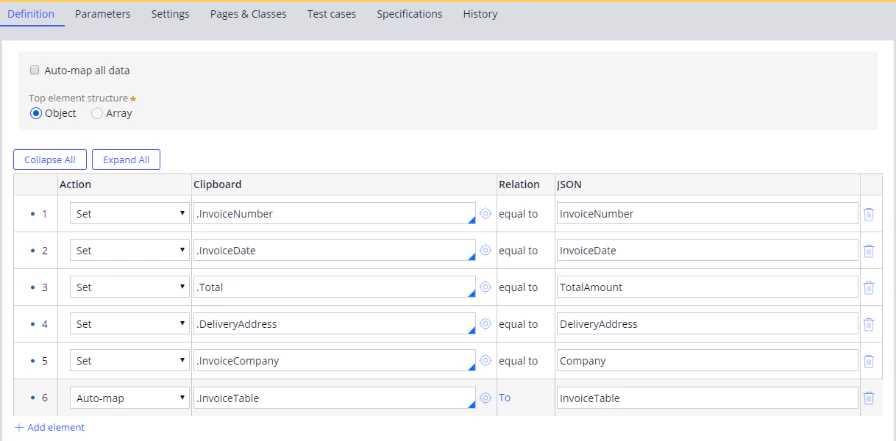
Screenshot of the jsonToInvoice data transform Definition tab in Pega Dev Studio mapping the .InvoiceNumber, .InvoiceDate, .Total, .DeliveryAddress, and .InvoiceCompany clipboard properties to JSON and auto-mapping .InvoiceTable.

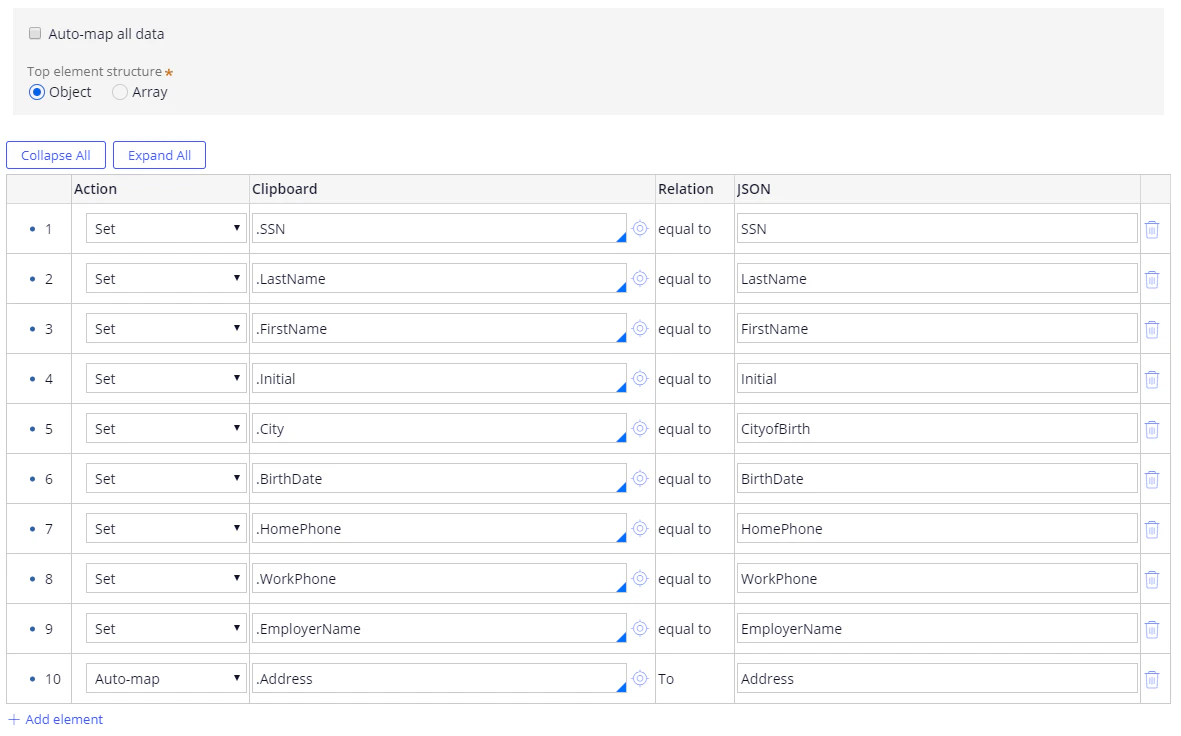
jsonToBanking

Screenshot of the jsonToBanking data transform Definition tab in Pega Dev Studio mapping the .SSN, .LastName, .FirstName, .Initial, .City, .BirthDate, .HomePhone, .WorkPhone, and .EmployerName clipboard properties to JSON and auto-mapping .Address.

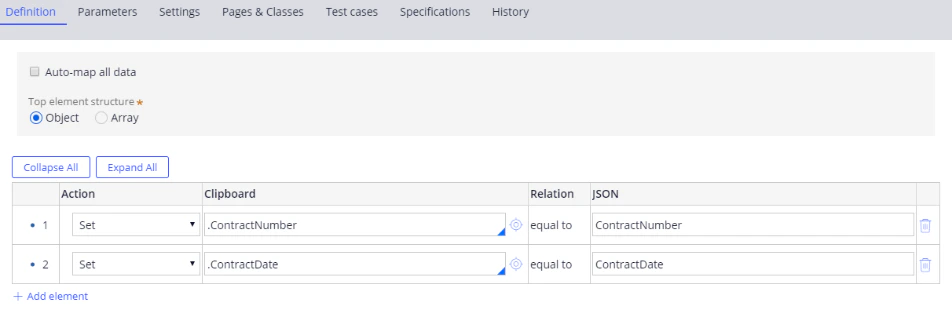
jsonToContract

Screenshot of the jsonToContract data transform Definition tab in Pega Dev Studio mapping the .ContractNumber and .ContractDate clipboard properties to the matching JSON properties.

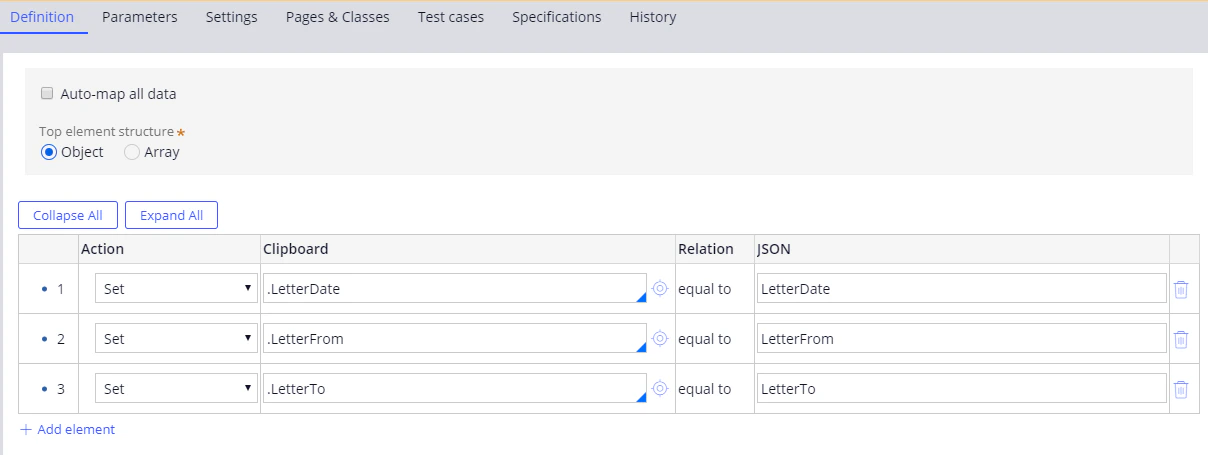
jsonToLetter

Screenshot of the jsonToLetter data transform Definition tab in Pega Dev Studio mapping the .LetterDate, .LetterFrom, and .LetterTo clipboard properties to the matching JSON properties.

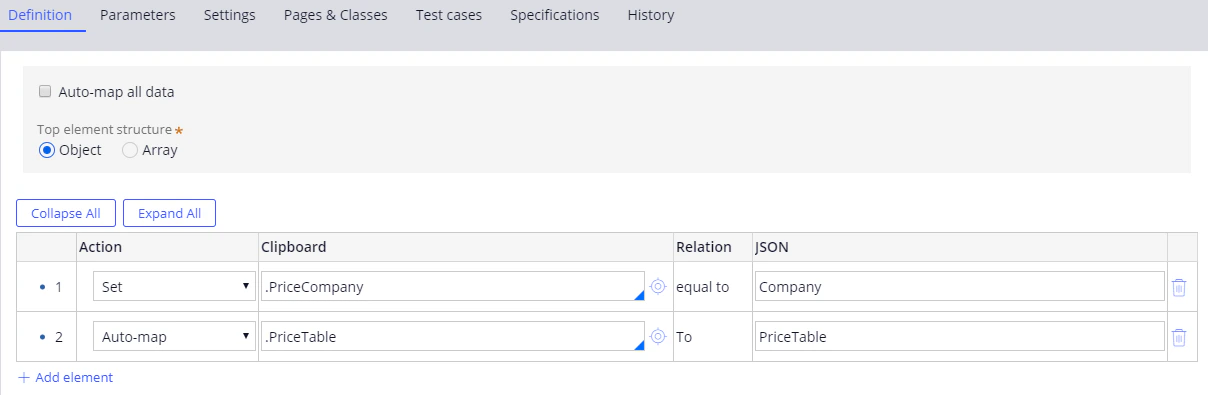
jsonToPrice

Screenshot of the jsonToPrice data transform Definition tab in Pega Dev Studio mapping the .PriceCompany clipboard property to the Company JSON property and auto-mapping .PriceTable.