
 で示されます。
Barcode 要素は、ABBYY FlexiLayout Studio でサポートされている種類のバーコードを検索するために使用されます。プログラムは、事前認識中に検出され、検索領域内にある Barcode オブジェクトを対象とします。
で示されます。
Barcode 要素は、ABBYY FlexiLayout Studio でサポートされている種類のバーコードを検索するために使用されます。プログラムは、事前認識中に検出され、検索領域内にある Barcode オブジェクトを対象とします。
Barcode要素のプロパティ
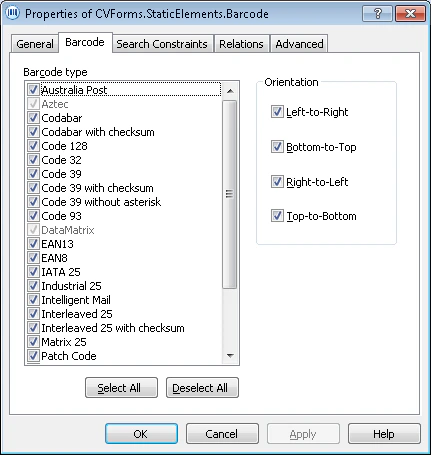
- QRCode、Aztec、DataMatrix を使用できるようにするには、Extract 2D barcodes: Data Matrix, Aztec, QR Code を選択します。
- 郵便Barcodeを使用できるようにするには、Extract post barcodes を選択します。
- Left-to-Right
- Bottom-to-Top
- Right-to-Left
- Top-to-Bottom
複数のオプションを選択できます。