
Add the data type
1
Start a new data type
In Dev Studio, open the Data types context menu and select Add data type.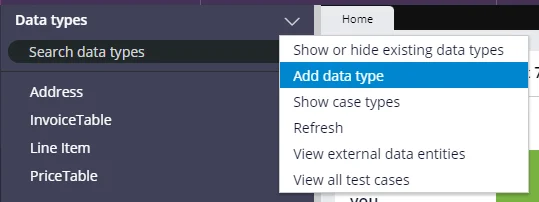
2
Name the data type
Fill in the Label and Description fields.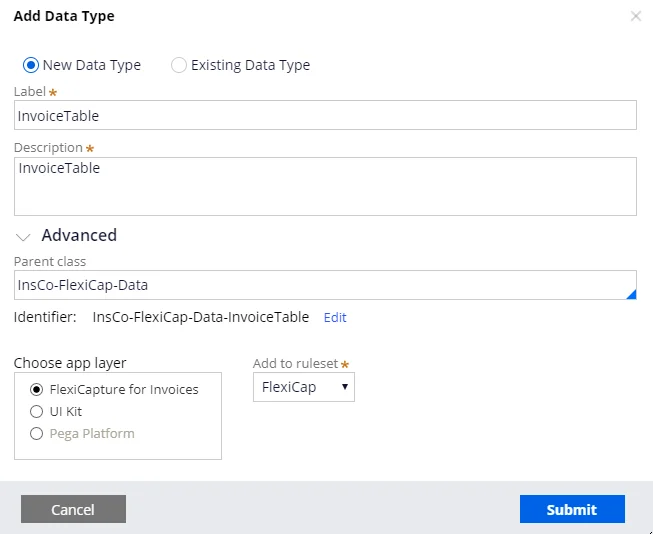
3
Add the fields
Click Submit. Then click the Data model tab and add the required fields.