
The file collection section gives the user the controls for attaching files to the case. It holds an AJAX Container bound to the standard pyCaseAttachments section.

Configure the Collect flow action

1

Open the Collect flow action

In Dev Studio, click Records → Process → Flow Action → Collect, and then click the configuration button.
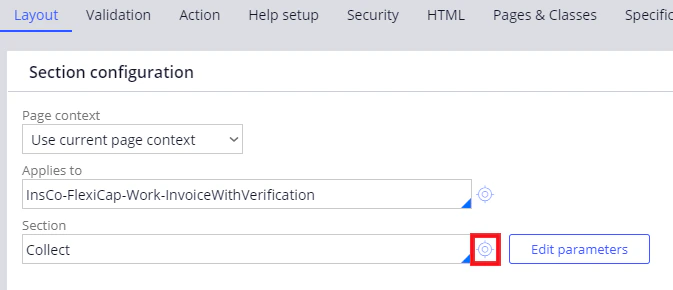
Screenshot of Pega Dev Studio editing the Collect flow action on the Layout tab, with the section configuration button next to the Collect section highlighted.
2

Add an AJAX Container

On the Design tab, delete the default dynamic layout and add Layout → AJAX Container. Specify the following settings in the dialog box that opens:
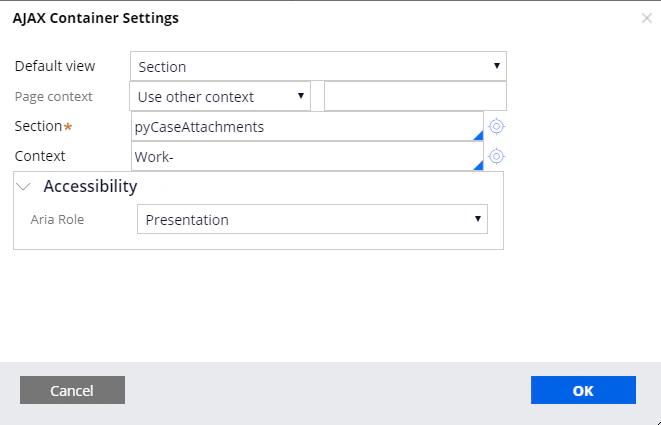
Screenshot of the Pega AJAX Container Settings dialog with Section selected as the Default view, pyCaseAttachments entered as the Section, and Work- entered as the Context.
3

Apply the settings

Click OK. The Design tab now shows the AJAX Container with the pyCaseAttachments section inside it.
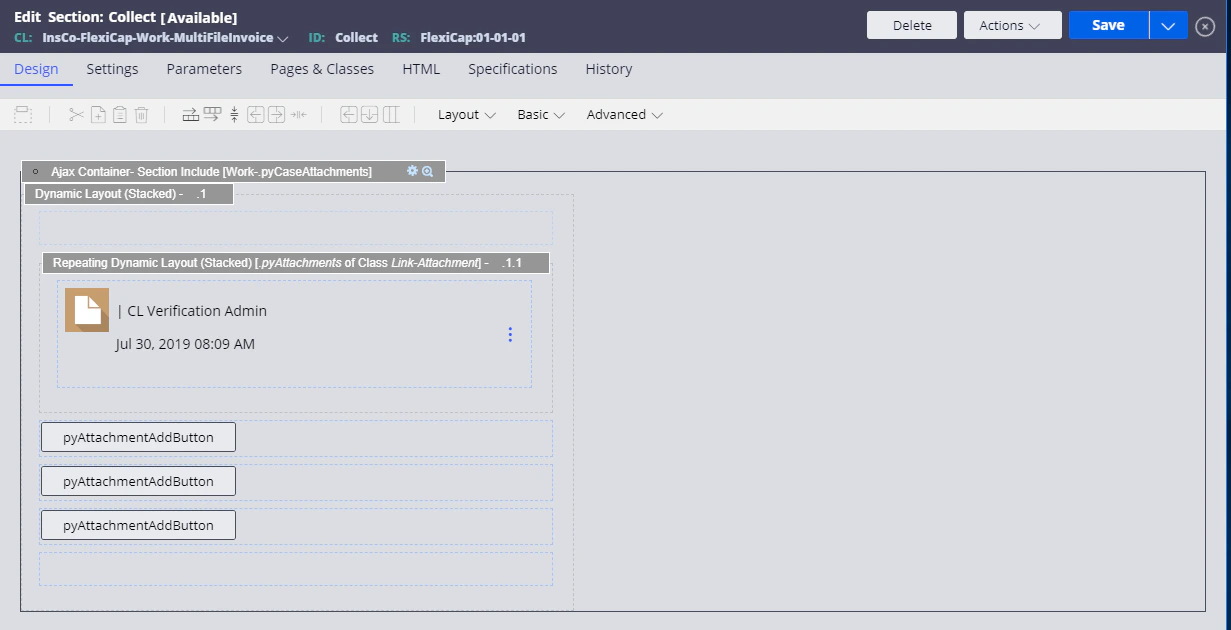
Screenshot of Pega Dev Studio showing the Collect section Design tab with an AJAX Container that includes the pyCaseAttachments section and pyAttachmentAddButton controls.