
SendForProcessing activity opens the case, sends the first attachment to ABBYY FlexiCapture, and stores the batch identifier and the verification URL that FlexiCapture returns.
For the general procedure, see Create a Pega activity.
Pages and classes
Parameters
Local variables
Activity steps
1
Open the case
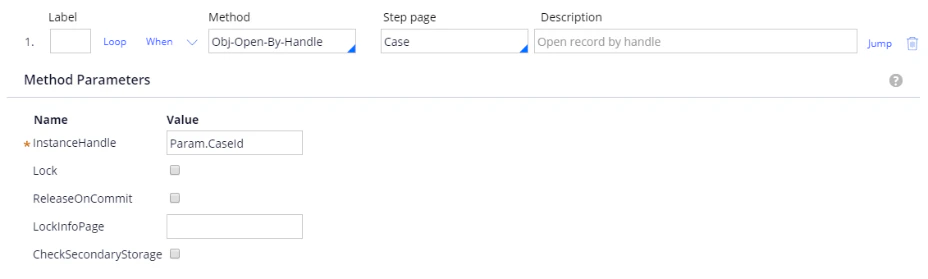
2
Reset the attachment counter
Set Method to 
Property-Set and the property as follows:3
Loop over the case attachments
Set Method to 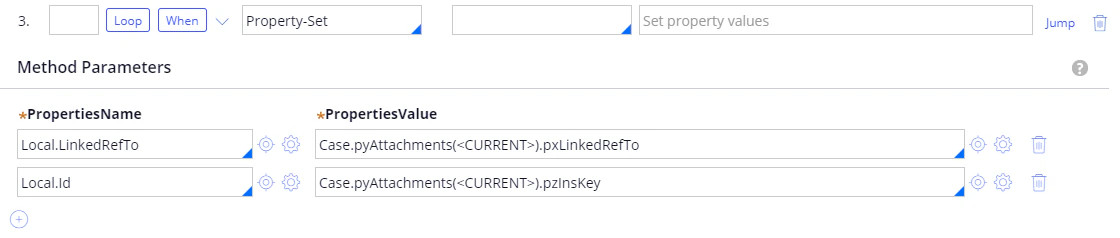
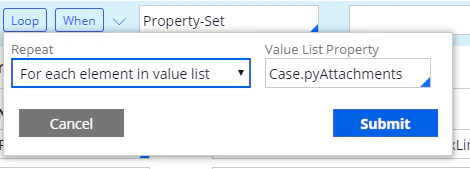
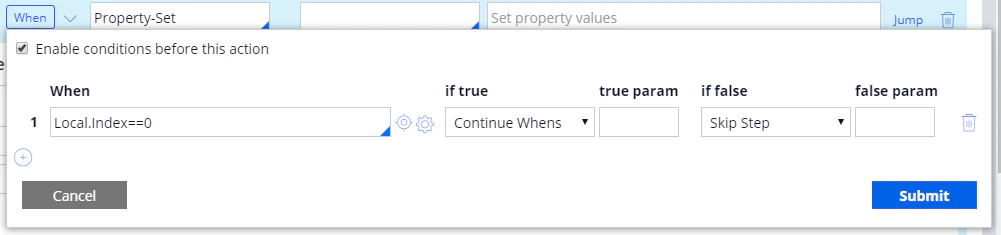
Property-Set and the properties as follows:-
Open the attachment
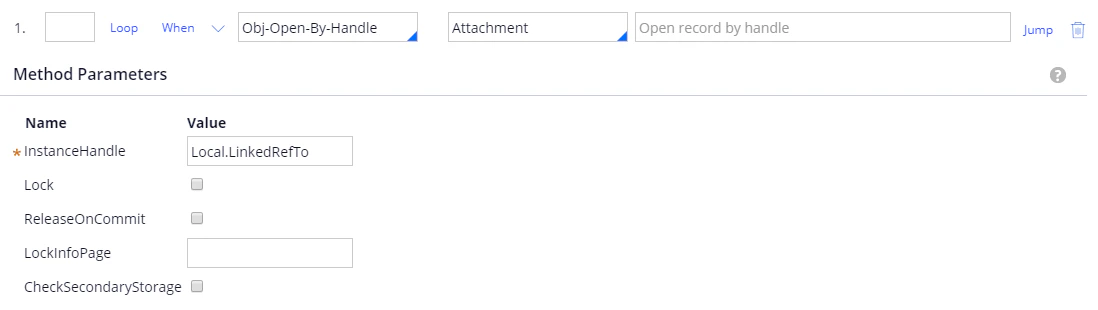
-
Open the attachment information
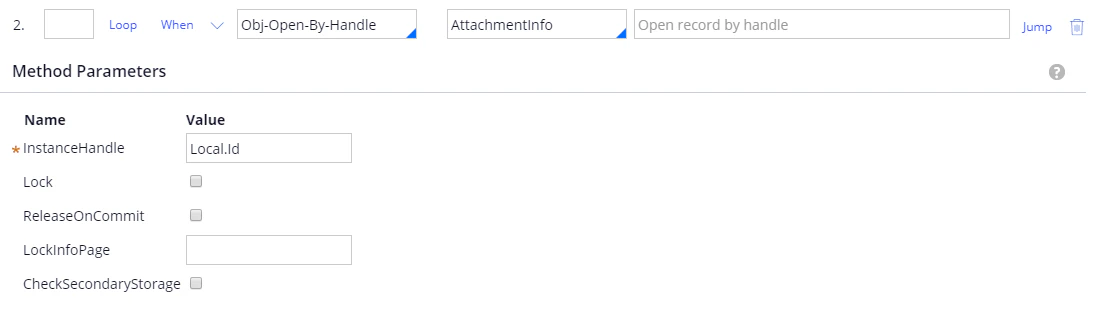
-
Send the document to ABBYY FlexiCapture
Set Method to
Call-Functionand the function as follows:For more information, see SendForProcessing. Add the following Jump condition, and set On exception, jump to later step label toERR: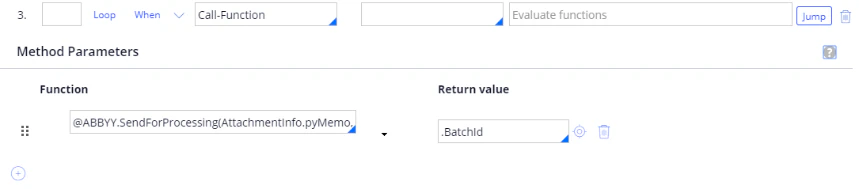
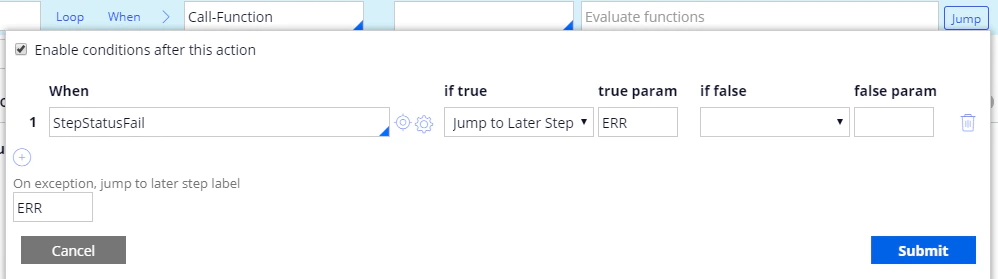
-
Wait for the verification URL
Set Method to
Call-Functionand the function as follows:For more information, see WaitFirstVerificationOrProcessed. Add the following Jump condition, and set On exception, jump to later step label toERR: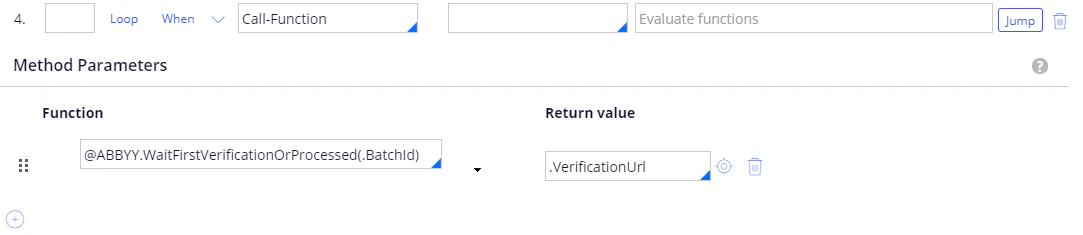
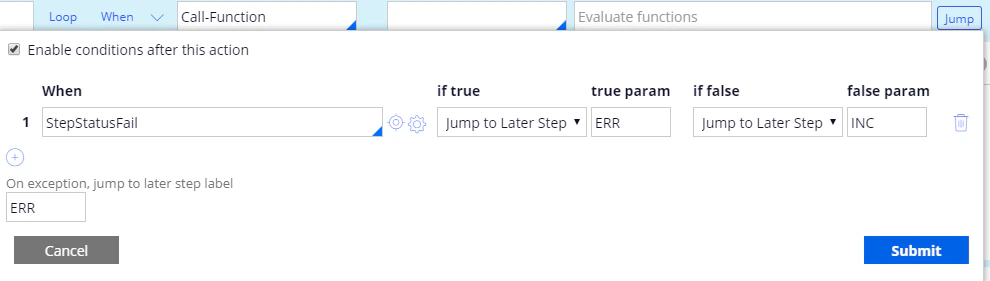
-
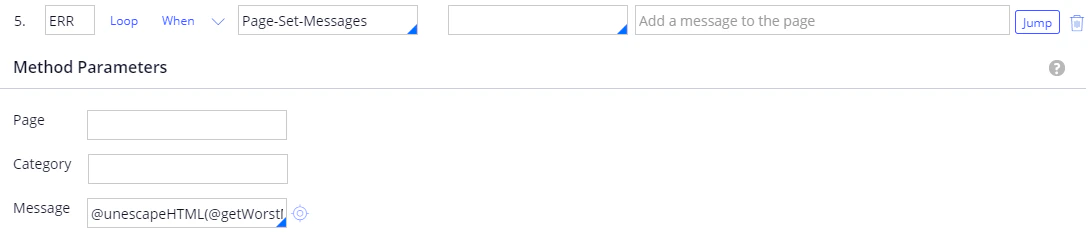
Post the error message
For more information, see unescapeHTML. Add the following Jump condition:
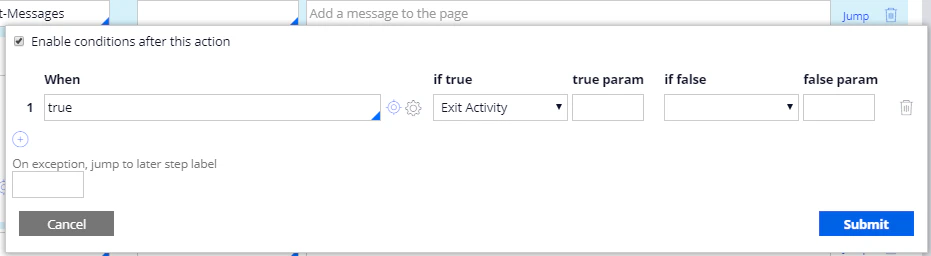
-
Increment the attachment counter
Set Label to
INC, set Method toProperty-Set, and set the property as follows: