
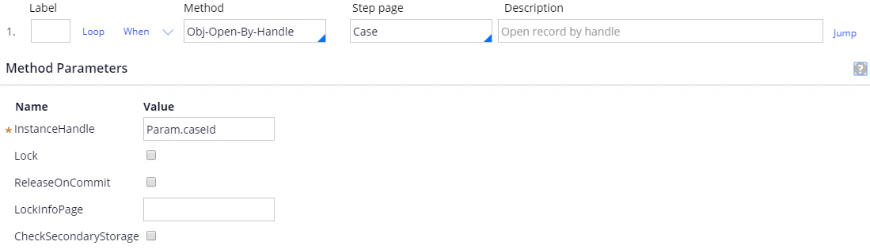
CreateError activity opens the case and posts the error message it is given.
For the general procedure, see Create a Pega activity.
Pages and classes
Parameters
Activity steps
1
Open the case
2
Post the error message
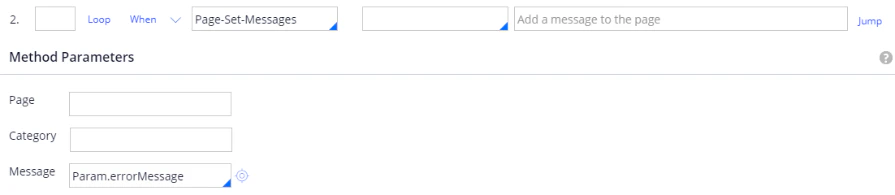
Configure the CreateError Pega activity for a multi-document case: open the case by handle and display the supplied error message using Page-Set-Messages.
CreateError activity opens the case and posts the error message it is given.
For the general procedure, see Create a Pega activity.
Open the case
Post the error message