The UpdateVerificationUrl activity asks ABBYY FlexiCapture for the current verification URL, writes it to the case, and saves the case. For the general procedure, see Create a Pega activity.

Pages and classes

Parameters

Activity steps

1

Open the case
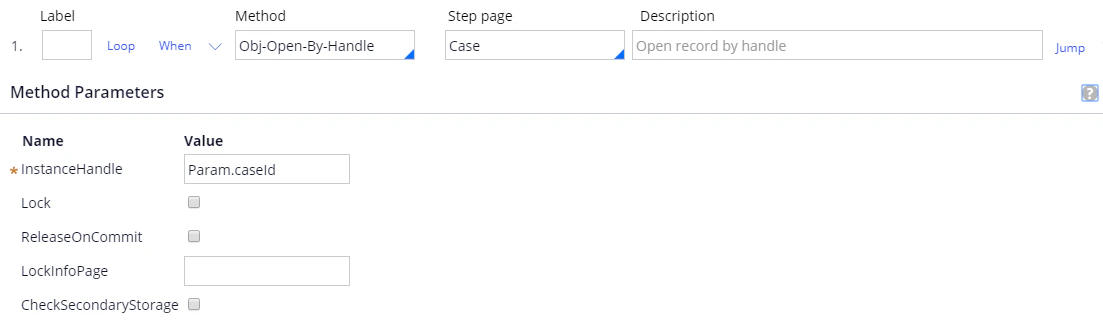
Screenshot of the UpdateVerificationUrl activity in Pega, showing Step 1 with the Obj-Open-By-Handle method on the Case step page and InstanceHandle set to Param.caseId.
2

Refresh the verification URL

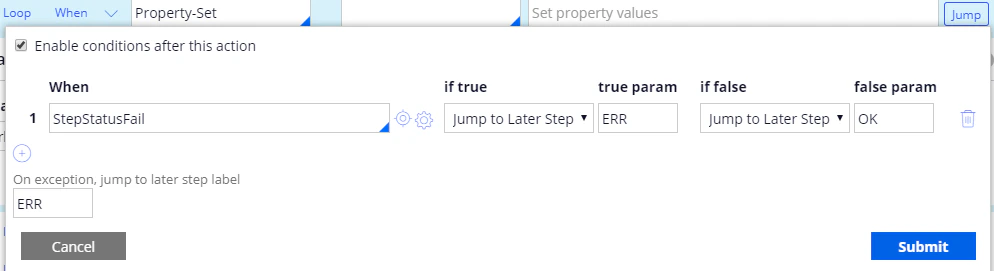
Set Method to Property-Set and the property as follows:For more information, see WaitFirstVerificationOrProcessedForMultiFileInvoice.Add the following Jump condition, and set On exception, jump to later step label to ERR:

Screenshot of the UpdateVerificationUrl activity in Pega, showing Step 2 with the Property-Set method setting .VerificationUrl to @ABBYY.WaitFirstVerificationOrProcessedForMultiFileInvoice(.BatchId).
Screenshot of the Jump conditions dialog for Step 2 in Pega, showing the StepStatusFail condition jumping to label ERR if true and to label OK if false, with the on-exception label set to ERR.
3

Post the error message

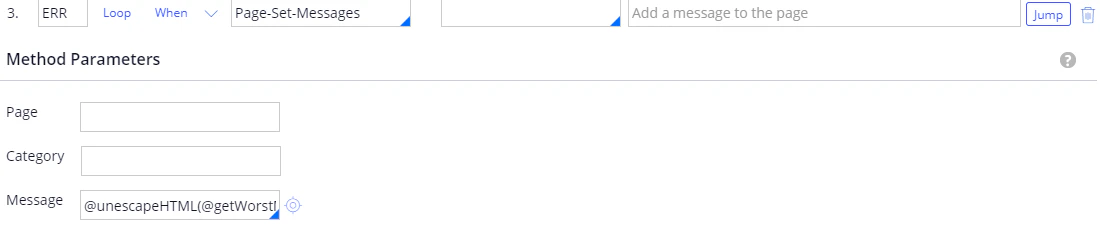
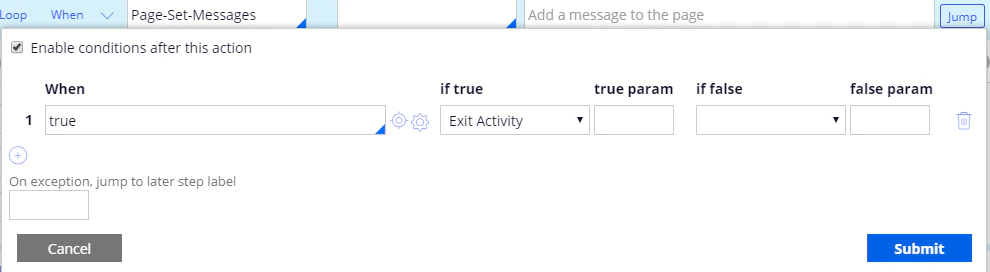
For more information, see unescapeHTML.Add the following Jump condition:
Screenshot of the UpdateVerificationUrl activity in Pega, showing Step 3 labeled ERR with the Page-Set-Messages method and the Message parameter set to @unescapeHTML(@getWorstMessageName(tools)).
Screenshot of the Jump conditions dialog for Step 3 in Pega, showing a When condition of true set to Exit Activity.
4

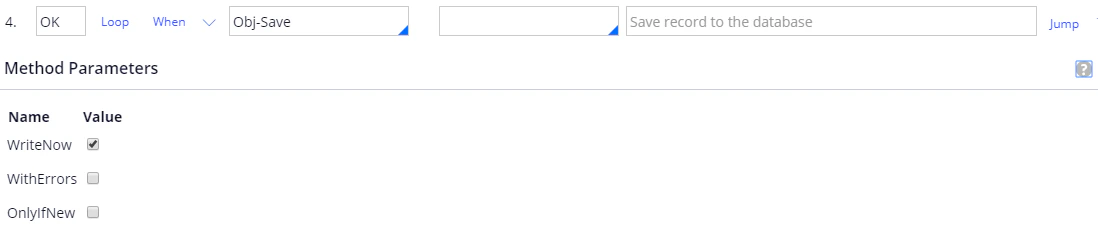
Save the case

Screenshot of the UpdateVerificationUrl activity in Pega, showing Step 4 labeled OK with the Obj-Save method and its WriteNow, WithErrors, and OnlyIfNew parameters.