
1
Create the Static Text element
Create an element of type Static Text and name it Recipe.Do not select Required element, which is not selected by default. Unlike the document heading, which serves as a document identifier and was specified as a required element, all the other elements are assumed to be optional. This lets FlexiLayout Studio formulate hypotheses even for elements whose corresponding objects it does not find on the images.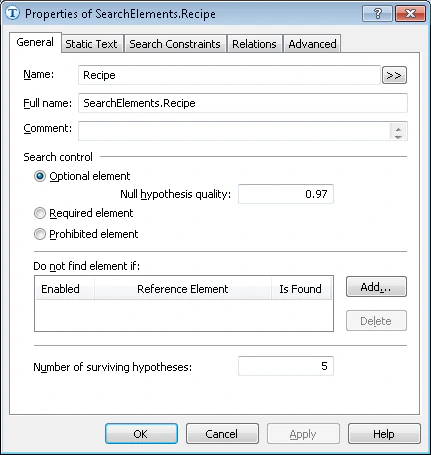
2
Open the Static Text tab
Click the Static Text tab.
3
Enter the search text
In the Search text field, type the text to search for. Because the field name has only one line on all the test images, type it without spaces, as Recipe#:.
4
Set the maximum error percentage
Set the Max error percentage to 20. Because the field name is a single word, it is unlikely to contain many errors.