
Check that FlexiLayout Studio correctly finds the field described by the PlanetName element. Open the Batch tab in the FlexiLayout Studio main window, then match the FlexiLayout against the batch images in one of two ways:
  • Fast check – Select all images in the batch, then run the Match command from the batch shortcut menu. View the results in the Image window in Matched Layout mode.
  • Thorough check – Open each image and run the Match command from the FlexiLayout menu or the image’s shortcut menu. This takes longer but lets you view the formulated hypotheses.
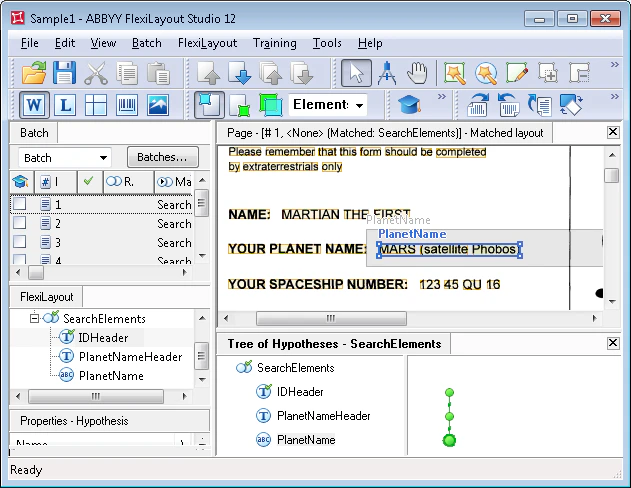
After matching, the YOUR PLANET NAME field described by the PlanetName element is found on every image.
Screenshot of the Image window in ABBYY FlexiLayout Studio in Matched Layout mode showing the YOUR PLANET NAME field detected by the PlanetName element on a test image.