
- A Static Text element named DateHeader for the field label
- A Date element named ArrivalDate for the field value
- A block named ArrivalDate for the field
1
Keep the spaces in the DateHeader search text
In the Search text field, type DATE YOU ARRIVED AT THE EARTH. Select Take spaces into account and Permit multiple lines, and set Line break penalty to 1.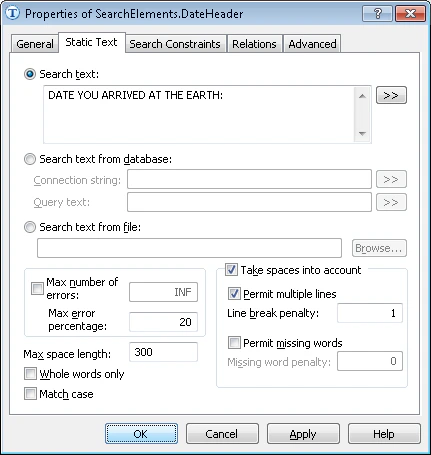
2
Set the ArrivalDate date formats
On the Date tab, specify all possible date formats. Months are always digits and the year is always four digits, so clear the Word box in the Month group and the Two digits box in the Year group. Leave the other options unchanged.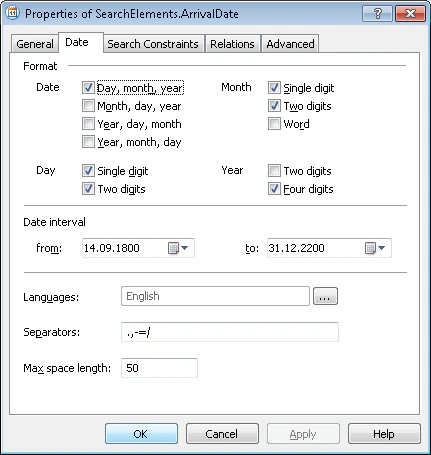
3
Set the ArrivalDate search area
Use DateHeader as the reference element.
4
Create the ArrivalDate block
Use the ArrivalDate element as the source element.