
- A Static Text element named NameHeader for the field label
- A Character String element named GuestName for the field value
- A block named GuestName for the field
1
Set the NameHeader search area
Place NameHeader above the PlanetNameHeader element. This keeps FlexiLayout Studio from matching the word NAME inside the YOUR PLANET NAME label.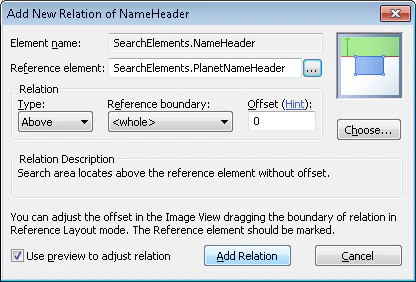
2
Set the GuestName alphabet and character count
Set the GuestName alphabet to English letters and the
- symbol only, unlike the PlanetName alphabet. In the Character count field, specify the fuzzy interval {0, 0, 50, INF}.3
Set the GuestName search area
Use NameHeader as the reference element.
4
Create the GuestName block
Use GuestName as the source element.