
- A Static Text element named SpaceShipHeader for the field label
- A Character String element named SpaceShip for the field value
- A block named SpaceShip for the field
1
Define the SpaceShip element with a regular expression
Give the SpaceShip element a regular expression instead of an alphabet, unlike the PlanetName element. The YOUR SPACESHIP NUMBER field has the same data format on every test image, so you can define it with the regular expression 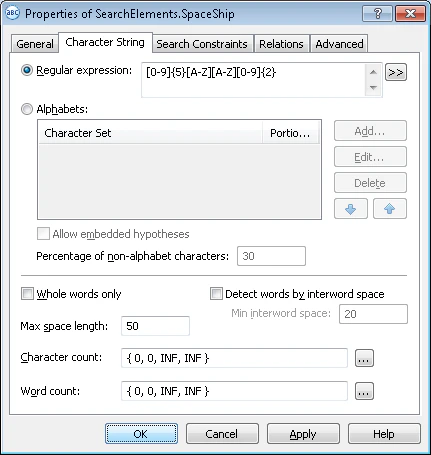
[N]{5}[A-Z][A-Z][N]{2}.For more information on regular expressions, see Alphabet used in regular expressions.2
Set the SpaceShip search area
Use SpaceShipHeader as the reference element.
3
Create the SpaceShip block
Use SpaceShip as the source element.